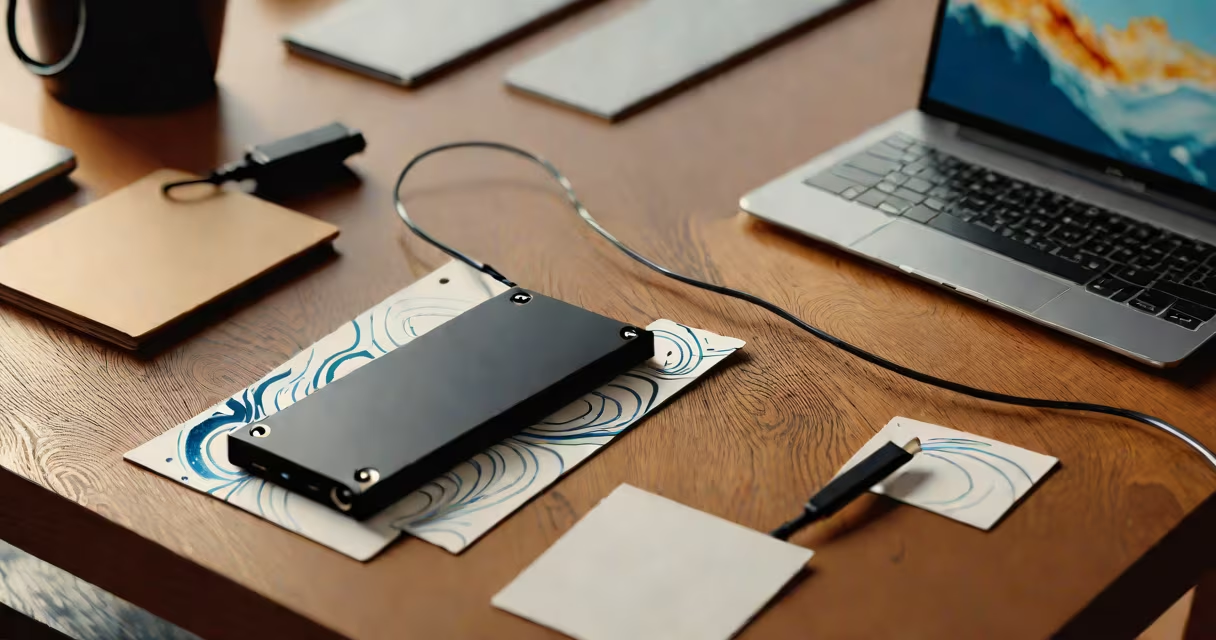
A disco externo ssd is a portable storage device that uses flash memory instead of spinning disks to store data, connected via USB-C or USB-A ports. It delivers faster read/write speeds than traditional external hard drives and fits in a pocket or bag.
Unlike mechanical hard drives, which rely on moving parts to access data, a disco externo ssd has no moving components. This makes it more durable and less prone to failure from drops or shocks. It's ideal for transferring large files quickly-such as video edits, raw photos, or system backups-without waiting minutes for a transfer to complete.
These drives typically connect through USB 3.2 Gen 2 or USB-C with support for Thunderbolt 3/4, enabling transfer rates up to 2,000 MB/s. For context, a standard external HDD transfers at around 100-150 MB/s. A disco externo ssd can move a 50 GB video file in under 30 seconds, while a traditional HDD takes over five minutes.
The core of a disco externo ssd is NAND flash memory, similar to what's inside internal SSDs. Data is stored electronically in cells, allowing near-instant access. A controller chip manages wear leveling, error correction, and data routing between the host device and the memory.
When plugged into a computer, the drive appears as a standard external volume. No drivers are needed for most modern systems-Windows 10+, macOS 10.15+, and Linux distributions recognize it automatically. The operating system handles mounting and file operations through standard protocols like UAS (USB Attached SCSI).
Power is drawn directly from the USB port. Most models don't require an external power adapter, making them truly portable. Some high-end models include a heat-dissipating metal casing to prevent thermal throttling during sustained writes.
Disco externo ssds come in different form factors and performance tiers based on interface and internal components. The table below compares common configurations:
| Interface | Max Theoretical Speed | Typical Real-World Speed | Use Case |
|---|---|---|---|
| USB 3.2 Gen 1 (5 Gbps) | 500 MB/s | 350-450 MB/s | Basic file backup, document storage |
| USB 3.2 Gen 2 (10 Gbps) | 1,000 MB/s | 700-900 MB/s | Video editing, large project transfers |
| USB-C with Thunderbolt 3/4 | 4,000 MB/s | 2,000-2,500 MB/s | Professional workflows, bootable drives |
Some drives use NVMe protocol internally, even though they're externally connected. These are often called "NVMe external SSDs" and offer higher speeds than SATA-based external drives. The Samsung T7 Touch and SanDisk Extreme Pro are examples of NVMe-based external SSDs that reach up to 2,000 MB/s.
Non-NVMe drives, such as those using a SATA controller, max out around 550 MB/s due to bandwidth limitations. They're cheaper and still much faster than mechanical drives, but not suitable for high-throughput tasks like 4K video rendering.
Photographers and videographers use disco externo ssds to offload RAW files from camera cards during shoots. A 128 GB card filled with 4K footage can be copied in under 10 minutes using a 1,000 MB/s drive, compared to 30+ minutes on a traditional external HDD.
Developers and IT professionals use them to carry encrypted work environments or bootable OS images. I once used a 1 TB SanDisk Extreme Pro to run a Linux VM directly from the drive on a MacBook Air-boot time was under 15 seconds, and app launches were nearly instant.
For everyday users, a disco externo ssd serves as a reliable backup for documents, music libraries, or game saves. Its durability means it can survive being tossed in a backpack or left in a car on a hot day-something a mechanical drive cannot handle.
Many people assume all external SSDs are the same. That's false. A drive labeled "USB 3.0" may only achieve 100 MB/s if it uses a slow controller or outdated NAND. Always check real-world benchmarks, not just theoretical specs.
Another mistake is thinking "external SSD" means "faster than internal SSD." Not true. Internal NVMe SSDs in modern laptops can hit 7,000 MB/s. An external SSD is limited by the USB interface and physical design. Still, an external SSD is far faster than a mechanical drive.
Some confuse disco externo ssd with external hard drives (HDDs). While both are portable, HDDs use spinning platters and have moving parts. They're louder, slower, and more fragile. A 1 TB external HDD costs less than $60, but a 1 TB external SSD starts at $100 and goes up to $300 depending on speed and brand.
Also, not all external SSDs support encryption. The Samsung T7 Touch includes a fingerprint sensor and hardware encryption. Others require software-based encryption, which is less secure and slower. Always verify security features before storing sensitive data.
Consider a freelance video editor working on a 4K documentary. The raw footage is 1.2 TB across 150 clips. The editor uses a 1 TB disco externo ssd with USB-C and Thunderbolt 3 support.
Step 1: Copy the footage from a camera's SD card to the external SSD. Using a 2,000 MB/s drive, this takes 11 minutes.
Step 2: Edit the project in Adobe Premiere Pro. The timeline loads instantly because the drive supports high sequential read speeds.
Step 3: Export the final cut. The render completes in 45 minutes-30% faster than when using a 150 MB/s external HDD.
Step 4: Deliver the file to the client. The 40 GB export finishes in under 3 minutes, compared to 15 minutes on the old HDD.
This workflow shows how a disco externo ssd reduces production time and improves reliability. Without it, the editor would spend hours waiting for transfers and risk losing data during long runs.
For comparison, a traditional external HDD would take over 2 hours to copy the same 1.2 TB of footage. The SSD cuts that time in half and avoids mechanical failure risks.
When choosing a disco externo ssd, prioritize interface speed, build quality, and security features. Look for models with IP55 dust and water resistance if you work outdoors. Check reviews from trusted sources like Tom's Hardware and CNET for real-world performance data.
Not all SSDs are created equal. A drive advertised as "ultra-fast" may only reach 500 MB/s unless it uses NVMe and a high-speed interface. Always verify specs against actual benchmark results.
If you're evaluating whether your setup needs an external SSD, consider your data size and workflow speed. For frequent large-file transfers, a disco externo ssd is essential. For occasional backups, a lower-cost model suffices.