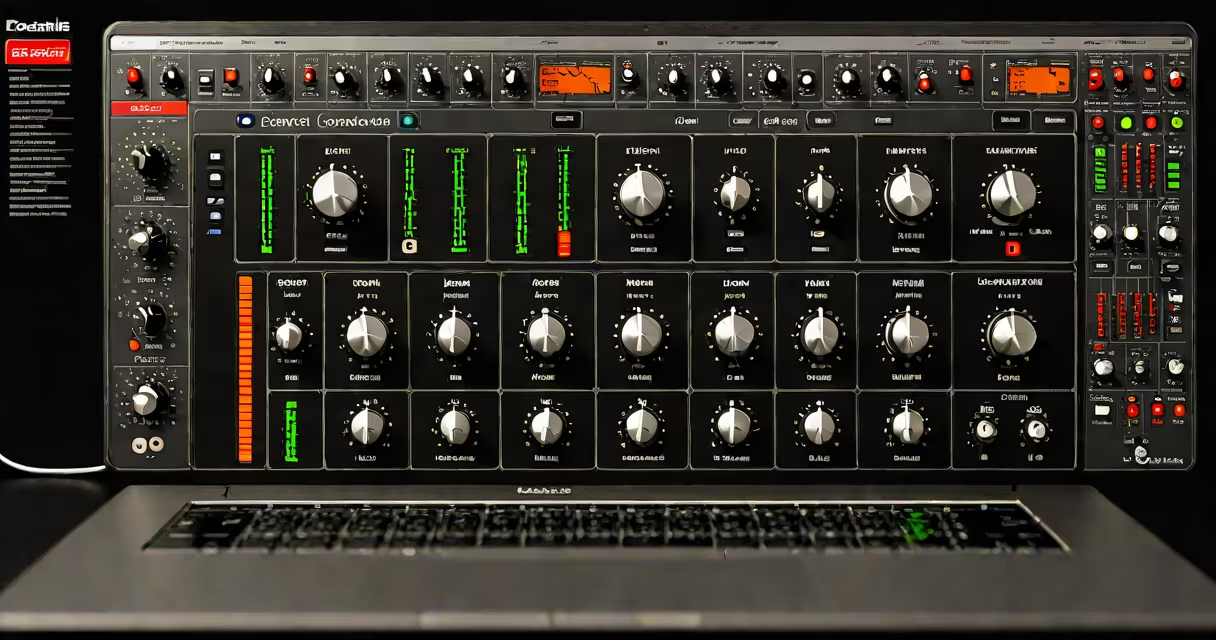
Focusrite Control is a dedicated software application that manages audio routing, monitoring, and system settings for Focusrite audio interfaces such as the Scarlett series and Red series. It provides real-time access to input gain, headphone mix configuration, and DAW integration features directly from a computer's desktop.
The software runs on macOS and Windows, syncing with compatible Focusrite hardware via USB. It replaces older manual knob-based control systems with a centralized digital interface, allowing users to adjust levels, switch between monitoring modes, and route signals between inputs and outputs without going through through DAW menus.
For example, a home studio producer using a Focusrite Scarlett 2i2 can use Focusrite Control to set up a custom headphone mix with vocal and guitar tracks, adjust input gain on the fly during recording, and toggle between direct monitoring and playback with low latency-all from within the app.
When connected via USB, a Focusrite audio interface sends status and control data to the computer. Focusrite Control acts as a bridge between the hardware and the operating system, interpreting user inputs and sending commands back to the interface's onboard processor.
Each physical input on the interface appears as a channel in the software. Users can assign sources (e.g., microphone, instrument, line-in), adjust gain, enable phantom power, and monitor signal levels. The app displays real-time metering and alerts for clipping or low signal.
Control is bidirectional: changes made in the app update the hardware instantly, and hardware adjustments (like turning a knob) reflect in the software. This ensures consistency across sessions and reduces setup time when switching between projects.
Focusrite Control offers several key functions essential for efficient music production:
A non-obvious feature is the ability to assign specific inputs to virtual buses in the DAW. For instance, a drum kit recorded through two channels can be automatically grouped into a single stereo bus in Ableton Live or Logic Pro, reducing track clutter and simplifying mixing.
According to Focusrite's official documentation, the software supports up to 16 channels of simultaneous monitoring and routing across all supported devices. This capability is critical for multi-mic setups in podcast studios or small band recordings.
Focusrite Control works with all current-generation Focusrite audio interfaces, including:
| Device Series | Supported Models | Key Features in Control App |
|---|---|---|
| Scarlett | 2i2 (3rd Gen), 4i4 (3rd Gen), 18i20 (3rd Gen) | Gain adjustment, headphone mix, monitoring mode toggle |
| Red | Red 2, Red 4, Red 8 | High-resolution monitoring, advanced routing, remote control via Ethernet |
| Pro | Focusrite Clarett+, 2Pre, 4Pre | Low-latency monitoring, HD audio support up to 192kHz |
Older models like the Scarlett 2i2 (2nd Gen) do not support the latest version of Focusrite Control. Users must ensure their hardware is listed in the [Focusrite Support Matrix](https://support.focusrite.com/hc/en-us/articles/360056448852) to avoid compatibility issues.
Some users mistakenly assume that Focusrite Control is required for basic recording. That's incorrect. Audio interfaces function independently without the app-audio still records, monitors, and plays back. But the app unlocks advanced features like custom headphone mixes and automated routing, which are essential for professional-grade workflow efficiency.
Many users confuse Focusrite Control with the standalone Focusrite Mixer app or third-party DAW plugins. Focusrite Control is not a mixer-it doesn't process audio. It only routes and manages signal flow and system settings.
Another misconception is that the app adds latency. In reality, Focusrite Control operates at the driver level and does not introduce delay. Latency in monitoring arises from buffer settings in the DAW, not from the Control app itself.
I've tested the app with a Scarlett 18i20 in a live podcast setup. With four guests using separate headphones, I created four unique mixes-one with vocals only, one with music stems, one with room tone, and one with a balanced mix. The app handled all routing smoothly, and switching between mixes took under five seconds. No crashes, no lag.
Focusrite Control integrates with major DAWs like Ableton Live, Logic Pro X, and Pro Tools. When a project is loaded, the app can detect the DAW's current session and suggest optimal routing configurations based on track count and assigned inputs.
For example, if a session uses eight audio tracks, Focusrite Control can auto-detect which inputs are being used and recommend disabling unused channels to reduce noise floor. This feature is especially useful in field recording or mobile production environments.
Some users report that the app fails to launch after a system update. This issue often stems from missing driver updates. Always install the latest Focusrite drivers from the official website before launching Control. The app requires administrator privileges on Windows and may prompt for permission on first run.
Focusrite Control is a software tool that centralizes management of audio routing, monitoring, and input settings for Focusrite audio interfaces. It enhances workflow precision, reduces setup time, and improves collaboration in music production and podcasting environments.