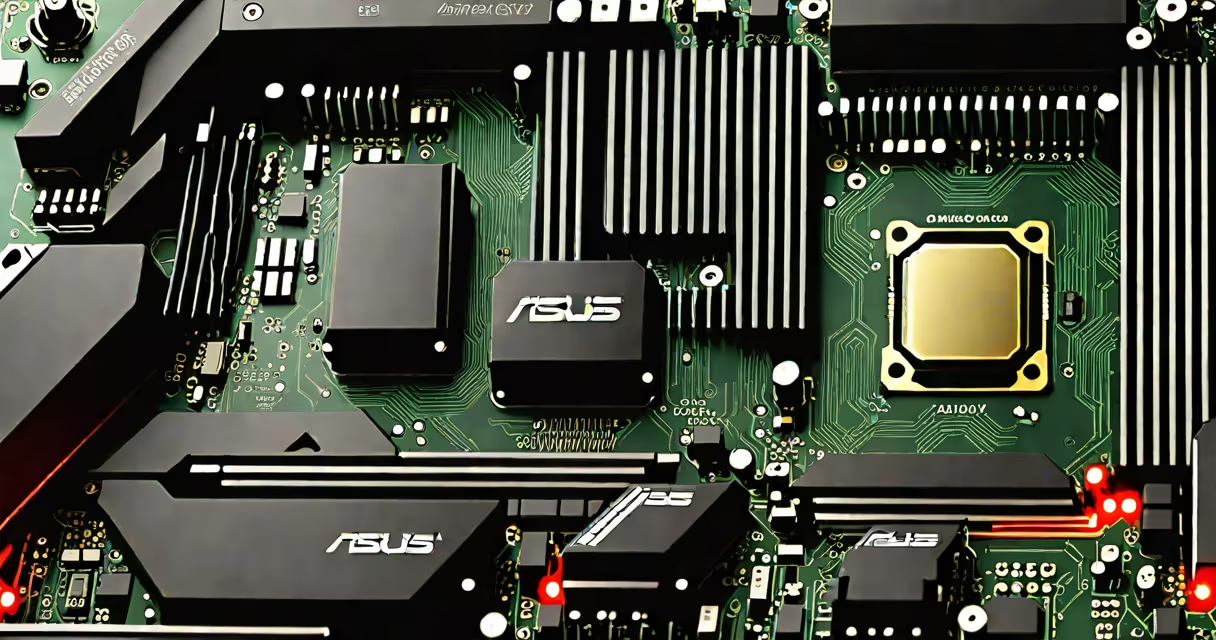
Asus Build a PC refers to the process of assembling a custom desktop computer using components from Asus, including motherboards, power supplies, cases, and GPUs, often guided by Asus's official tools and documentation.
The core idea behind Asus Build a PC is system customization. Users select individual components-such as a CPU, RAM, storage drive, graphics card, and cooling solution-and combine them into a single working machine. Asus provides hardware designed for compatibility, performance, and ease of integration, especially through its ROG (Republic of Gamers) and TUF Gaming lines.
Asus doesn't sell complete pre-built systems under the "Build a PC" label. Instead, it offers tools like the Asus PC Builder online configurator, which helps users validate compatibility between parts. This tool prevents common mistakes such as pairing an incompatible CPU with a motherboard or mismatching RAM speeds.
Asus Build a PC begins with component selection. Users choose a motherboard first-often from the ASUS Prime, TUF Gaming, or ROG Strix series-then match it with a compatible CPU, memory, storage, and GPU. The motherboard defines the socket type (e.g., LGA 1700 for Intel, AM5 for AMD), chipset (e.g., B650, Z790), and supported RAM type (DDR5).
Once components are selected, users verify compatibility using Asus's online tools. For example, the Asus PC Builder website allows users to input a CPU model and automatically filters compatible motherboards. It also checks whether the chosen PSU has enough wattage and correct connectors for the GPU and CPU.
Physical assembly involves installing the CPU into the motherboard socket, applying thermal paste, attaching the cooler, inserting RAM sticks into DIMM slots, mounting the motherboard into the case, connecting power cables, and securing the GPU and storage drives. Asus motherboards include features like EZ Flash for BIOS updates and AI Overclocking to simplify tuning.
Each component plays a distinct role in system function. The CPU handles processing tasks. A high-end Intel Core i9 or AMD Ryzen 9 processor delivers strong performance for gaming and content creation. The motherboard manages communication between all parts. Asus motherboards support PCIe 5.0, USB 3.2 Gen 2x2, and Wi-Fi 6E.
Memory (RAM) stores active data. 16GB is standard for gaming; 32GB or more improves multitasking and video editing. Storage options include NVMe SSDs (for fast boot times and game loading) and SATA SSDs or HDDs (for bulk storage). A 1TB NVMe SSD can load games in under 10 seconds.
Graphics cards (GPUs) render visuals. The Asus TUF Gaming GeForce RTX 4070 Super delivers 4K gaming at high frame rates. Power supplies (PSUs) deliver stable electricity. A 750W 80 PLUS Gold-rated PSU ensures efficiency and safety under load.
| Component | Common Asus Models | Function | Typical Price Range |
|---|---|---|---|
| Motherboard | ROG Strix Z790-E, TUF Gaming B650-PLUS | Manages data flow between components | $180-$350 |
| CPU | Intel Core i7-14700K, AMD Ryzen 7 7700X | Executes instructions and runs applications | $300-$500 |
| GPU | ASUS Dual GeForce RTX 4060, TUF Gaming RTX 4070 | Processes graphics and renders images | $300-$600 |
| RAM | ASUS TUF Gaming DDR5 32GB (2x16GB) | Temporary memory for active programs | $120-$180 |
Asus Build a PC is used by gamers, streamers, content creators, and professionals who need tailored performance. A gamer building a PC with an Asus ROG Strix Z790 board and an RTX 4080 GPU can achieve 144Hz at 4K resolution. A video editor using an AMD Ryzen 9 7950X with 64GB of RAM and a 2TB NVMe SSD can render 8K footage in under 10 minutes.
Users choose Asus components for reliability, advanced features, and long-term support. Asus motherboards offer durable capacitors, reinforced PCIe slots, and built-in diagnostic LEDs. The company backs many models with five-year warranties and free technical support.
A common mistake is assuming all Asus motherboards work with any CPU. For example, an Asus TUF B650-PLUS motherboard supports AMD Ryzen 7000-series processors but not older Ryzen 5000 CPUs due to different socket designs. Always confirm CPU socket compatibility before purchase.
Some assume "Asus Build a PC" means buying a pre-built system from Asus. That's incorrect. Asus sells pre-assembled PCs under the "Vivobook," "TUF Gaming," or "ROG" brand names, but "Build a PC" refers specifically to user-led assembly.
Another misconception is that any motherboard fits any case. Cases have specific form factors-ATX, Micro-ATX, Mini-ITX-that must match the motherboard size. An ATX motherboard won't fit in a Mini-ITX case. Asus provides clear labeling on product pages showing form factor and clearance requirements.
One non-obvious fact: Asus motherboards with built-in Wi-Fi 6E use the 6 GHz band, which reduces interference compared to 2.4 GHz and 5 GHz bands. This results in lower latency and higher throughput-critical for online gaming and live streaming. However, not all routers support 6 GHz, so users must ensure their router and network adapter both support Wi-Fi 6E.
Consider a user building a 4K gaming PC using Asus components. They start with an Asus ROG Strix Z790-E motherboard, paired with an Intel Core i9-14900K CPU. This combination supports DDR5-6000 memory and PCIe 5.0 x16 for the GPU.
They install 32GB of Corsair Vengeance DDR5 RAM and a 1TB Samsung 990 Pro NVMe SSD. The GPU is an Asus TUF Gaming GeForce RTX 4080 Super. The PSU is a 850W 80 PLUS Platinum-rated unit from EVGA, connected via PCIe power cables.
After installing the CPU and applying thermal paste, they attach the Asus ROG Ryuo 360mm AIO liquid cooler. The motherboard's AI Overclocking feature automatically tunes the CPU for maximum performance. Once powered on, the system boots into Windows 11 with drivers installed from the Asus support website.
Testing shows the system achieves 180 FPS in Cyberpunk 2077 at 4K Ultra settings. The Asus PC Builder tool had previously flagged a potential conflict with a 120mm fan interfering with the GPU's side panel, prompting the user to switch to a 140mm fan for better airflow.
Asus Build a PC empowers users to create machines tailored to their exact needs. Whether aiming for 4K gaming, video rendering, or compact design, understanding component roles and compatibility avoids costly errors and ensures long-term stability.