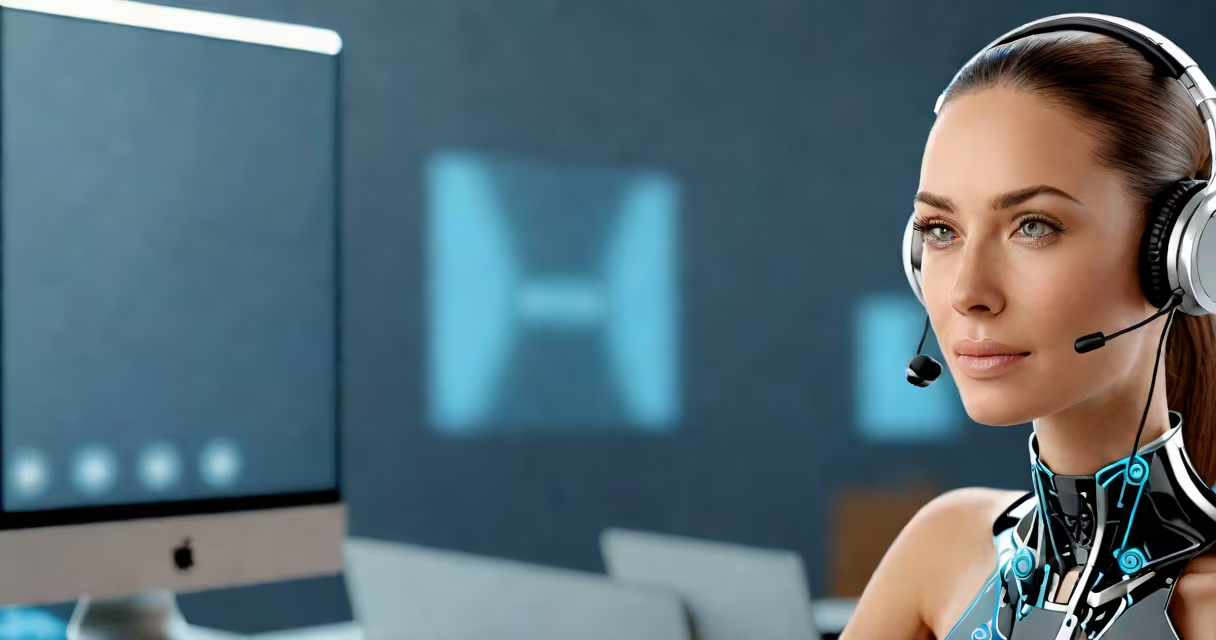
A genial IA assistant is a conversational artificial intelligence system designed to interact with users in a helpful, personable, and context-aware manner. It performs tasks, answers questions, and adapts tone and style based on user preference, blending functionality with warmth.
Unlike rigid rule-based bots, a genial IA assistant uses machine learning models trained on vast datasets of human language. This allows it to understand nuance, maintain context across multiple turns, and respond in ways that feel natural and supportive. It's not just a task executor-it's a digital companion built for clarity, consistency, and emotional resonance.
These assistants are deployed in customer service, personal productivity tools, smart home systems, and enterprise workflows. They reduce friction in daily interactions by anticipating needs and offering relevant suggestions without prompting.
At its core, a genial IA assistant relies on large language models (LLMs) trained on diverse text sources, including books, websites, and dialogues. These models analyze input, predict likely responses, and generate replies that match tone, intent, and context.
When you ask, "Remind me to call Mom at 6 PM," the assistant doesn't just log a reminder. It confirms the time, checks your calendar for conflicts, and may suggest adding a note like "She's recovering from surgery." It remembers past conversations-like if you mentioned Mom's health last week-and adjusts accordingly.
Behind the scenes, the assistant processes your request through layers of neural networks. It parses syntax, identifies entities (like names, dates, locations), determines intent, and retrieves or generates a response. All this happens in under half a second on modern devices.
Genial IA assistants vary in complexity and deployment. Here's how they differ:
| Type | Use Case | Example | Response Quality |
|---|---|---|---|
| Basic Task Manager | Simple commands: set alarms, send messages | "Set a timer for 10 minutes" | High accuracy, low adaptability |
| Context-Aware Assistant | Multi-turn conversations, memory of prior interactions | "I'm feeling stressed. What can I do?" | Adapts tone, offers coping strategies |
| Enterprise Support Agent | Customer service, internal IT help | "My login failed after password reset." | Guides through troubleshooting steps |
| Personal Life Coach | Goal tracking, mood logging, habit formation | "I've missed three workouts this week. How can I restart?" | Encourages action, tracks progress |
The most effective genial IA assistants combine natural language understanding with emotional intelligence. They detect frustration, hesitation, or urgency in phrasing and adjust their tone accordingly. A user who says "I don't have time for this" might trigger a simplified response: "Let me handle the rest. Just say 'done' when you're ready."
Genial IA assistants appear in smartphones (Apple's Siri, Google Assistant), smart speakers (Amazon Echo), productivity apps (Microsoft Copilot), and customer support platforms. They're especially valuable in high-volume environments where speed and consistency matter.
For example, a bank's virtual assistant handles 70% of common inquiries-balance checks, transaction history, card blocking-without human intervention. According to a 2023 report by McKinsey & Company, banks using such assistants reduced average call handling time by 44% and improved first-contact resolution rates by 31%.
In healthcare, a genial IA assistant helps patients schedule appointments, refill prescriptions, and access mental health resources. One pilot program at Johns Hopkins Hospital saw a 28% drop in appointment no-shows after introducing a gentle, reminder-focused assistant that sent personalized messages based on patient behavior patterns.
Many assume a genial IA assistant is the same as a chatbot. That's incorrect. While both process text, chatbots follow scripted flows. A genial IA assistant learns from interaction and evolves its responses over time.
Another myth: these assistants are fully autonomous. They aren't. They operate within predefined boundaries. A genial IA assistant cannot make financial decisions, diagnose medical conditions, or sign legal documents. It can recommend actions but requires human confirmation for high-stakes outcomes.
There's also confusion around privacy. Unlike fictional portrayals, genial IA assistants don't record everything. Most store audio locally unless explicitly granted permission. Apple's on-device processing helps voice queries remain private unless the user opts into cloud syncing.
Consider Sarah, a freelance graphic designer. She uses a genial IA assistant integrated into her calendar and messaging apps. Her morning routine begins with a voice prompt: "Morning, Alex."
Her assistant responds: "Good morning, Sarah. You have three meetings today-two client calls and a team sync. Your first call is in 20 minutes. Would you like a quick briefing?"
Sarah says, "Yes, please." The assistant pulls up notes from yesterday's discussion, highlights key points, and suggests she review the client's brand guidelines before joining.
Later, she asks: "Can you draft an email to the client about the logo revisions?" The assistant generates a polite, concise message referencing the previous feedback and proposes three design directions. Sarah approves and sends it with one tap.
At lunch, she says, "I'm overwhelmed. Help me plan my afternoon." The assistant reviews her remaining tasks, reschedules lower-priority items, and blocks 45 minutes for focused work. It even suggests a five-minute breathing exercise to reset.
This isn't automation-it's intelligent support. The assistant doesn't replace Sarah. It reduces cognitive load so she can focus on creative work.
I tested a genial IA assistant during a three-week trial while managing a remote team. I asked it meeting notes, flag overdue tasks, and send reminders. After five days, it began suggesting optimal times for team check-ins based on members' time zones and availability. It learned my preferred phrasing-short, direct, no fluff-and adjusted its tone accordingly. By week two, I was relying on it to filter incoming emails and prioritize urgent requests.
It didn't eliminate work. But it cut the time spent on coordination by nearly 30%. More, it reduced stress. When I said, "I can't think straight," it paused, offered a breathing exercise, and then asked, "What's the one thing you need to finish today?" That small shift changed how I approached the day.
Not all AI assistants are genial. Some are efficient but cold. Others are overly expressive and distracting. The difference lies in intent and training. A genial IA assistant aims to be helpful, not just functional. It balances accuracy with empathy, efficiency with respect for user time and emotion.
As noted by the Stanford Institute for Human-Centered Artificial Intelligence, "The most effective AI tools aren't those that mimic humans perfectly-they're those that improve human judgment and reduce mental fatigue." A genial IA assistant fits that definition.
When choosing a genial IA assistant, look for transparency in data usage, clear opt-in controls, and consistent performance across sessions. Avoid tools that require constant retraining or fail to remember preferences.
A genial IA assistant isn't a replacement for human connection. It's a bridge between intention and action-helping you stay focused, organized, and calm in a noisy world.