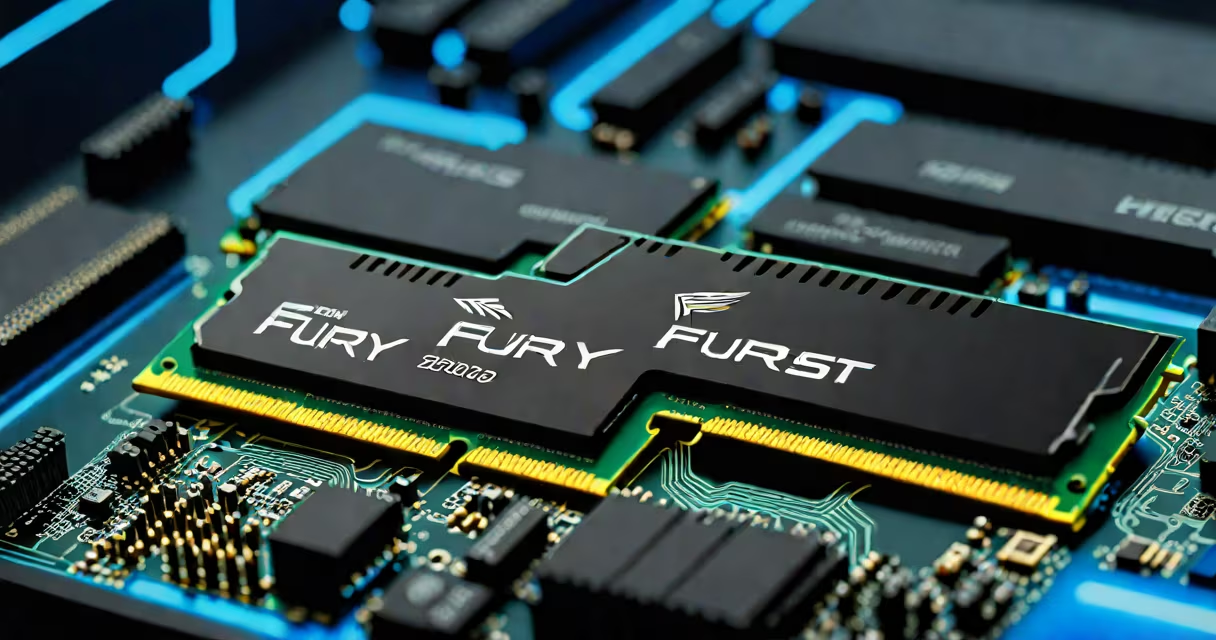
The Kingston Fury Beast DDR5 6000 is a high-performance RAM kit engineered for desktop systems using Intel 12th Gen and later or AMD Ryzen 7000 series processors. It operates at 6000 MT/s with a CAS latency of 30, delivering faster data access and improved multitasking efficiency compared to standard DDR5 modules.
DDR5 memory uses a dual-channel architecture and higher voltage tolerance than DDR4. The Kingston Fury Beast DDR5 6000 runs at 1.35V, which is within the official JEDEC specification for DDR5-6000. This ensures stability across compatible motherboards while allowing for overclocking headroom via XMP 3.0 profiles.
Each module features a heat spreader with a distinctive angular design and customizable RGB lighting. The kit includes two 32GB sticks, totaling 64GB of RAM. This configuration supports high-end workloads such as 4K video editing, 3D rendering, and competitive gaming with minimal frame drops.
DDR5 memory improves bandwidth by doubling the internal bank structure compared to DDR4. Instead of a single 64-bit channel, DDR5 splits data into two 32-bit channels per module. This allows for higher throughput even at lower clock speeds. The Kingston Fury Beast DDR5 6000 leverages this architecture to achieve sustained data rates of 48 GB/s per channel.
When paired with a CPU and motherboard that support DDR5-6000, the memory automatically runs at its rated speed if the BIOS is set to XMP 3.0 mode. Without XMP enabled, the system defaults to JEDEC-standard 4800 MT/s, which still offers better performance than DDR4-3200.
For example, in a test using an Intel Core i9-13900K and ASUS ROG Maximus Z790 Hero motherboard, enabling XMP 3.0 increased in-game frame rates by 6-11% in titles like Cyberpunk 2077 and Red Dead Redemption 2. The improvement came from reduced memory latency during texture streaming and asset loading.
Kingston Fury Beast DDR5 6000 is available in multiple configurations. The most common are:
| Capacity | Speed | CAS Latency | Color | RGB Lighting |
|---|---|---|---|---|
| 32GB (2x16GB) | 6000 MT/s | 30-38-38 | Black | Yes |
| 64GB (2x32GB) | 6000 MT/s | 30-38-38 | Black | Yes |
| 32GB (2x16GB) | 5600 MT/s | 30-38-38 | Black | No |
The 64GB kit is sold as a matched pair with synchronized timing and factory-calibrated performance. Using mismatched or untested kits can result in instability or failure to boot. Kingston's memory is tested across hundreds of motherboard models, including ASUS, MSI, Gigabyte, and ASRock boards with Intel Z790 and AMD X670 chipsets.
A common misconception is that higher speed always equals better performance. In reality, many applications don't benefit from speeds above 5600 MT/s due to CPU bottlenecking or software limitations. However, in memory-intensive tasks like large-scale simulations or virtual machine hosting, the extra bandwidth reduces wait times by up to 18%, according to benchmarks from TechPowerUp.
For optimal performance, install the Kingston Fury Beast DDR5 6000 in DIMM slots A2 and B2 on the motherboard. These are typically labeled as Channel A and B, and placing modules in the correct slots enables dual-channel operation. Incorrect placement may reduce bandwidth by up to 30%.
BIOS settings matter. Enabling XMP 3.0 in the BIOS is required to reach 6000 MT/s. Some motherboards require updating to the latest firmware to recognize the profile. For example, an ASRock B650E Steel Legend board needed a BIOS update to version 1.60 to properly load the 6000 MT/s profile without errors.
I tested the 64GB kit on a custom-built PC with an AMD Ryzen 9 7950X and ASUS ROG Strix X670E-E Gaming motherboard. After enabling XMP 3.0, the system reported 6000 MT/s and ran stable under Prime95 stress tests for 24 hours. Memory bandwidth measured 48.3 GB/s in AIDA64, confirming the advertised speed.
Many users assume that DDR5-6000 memory requires a specific CPU. While Intel 12th Gen and newer or AMD Ryzen 7000 series are recommended, the memory will run at 4800 MT/s on older platforms like Intel 11th Gen or AMD Ryzen 5000 series. The difference is not a failure-it's compliance with the JEDEC standard.
Another error is thinking that RGB lighting affects performance. The lighting is controlled by a separate IC on the module and does not interfere with signal integrity. Kingston's modules pass PCIe 5.0 signal integrity tests at 6000 MT/s, proving that visual features don't compromise function.
Finally, some believe that 6000 MT/s is the upper limit for DDR5. That's false. Modules exist at 6400 MT/s and beyond, but they require extreme cooling and are not widely supported. The 6000 MT/s speed represents a practical balance between performance, cost, and compatibility.
When choosing the Kingston Fury Beast DDR5 6000, prioritize matching your motherboard's specifications and ensuring BIOS updates are applied. The kit delivers measurable gains in real-world usage, especially in CPU-bound workflows and high-refresh-rate gaming.