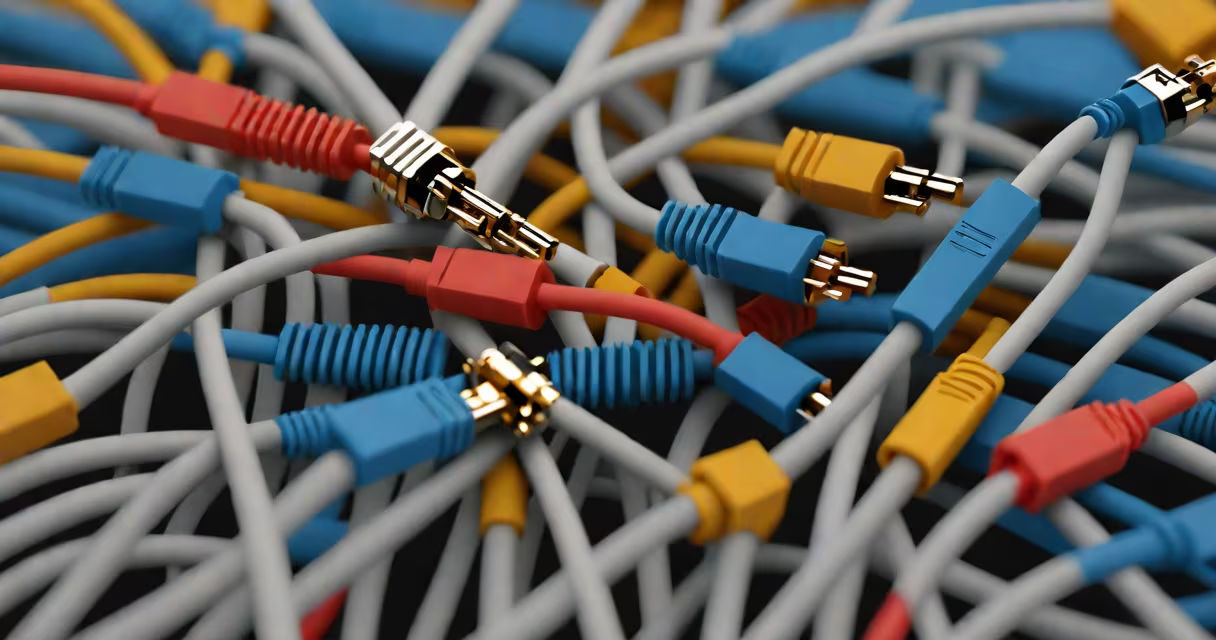
Choose cat 5e or cat 6 cable for standard Ethernet connections up to 1 Gbps; use cat 6a or cat 7 for 10 Gbps speeds. Cat v cable is a proprietary variant used in specific industrial or security systems.
Network cables are physical pathways for data between devices like computers, routers, and switches. The term "cat" stands for Category, a standardized classification system for twisted-pair copper cabling. The category number indicates performance limits such as bandwidth, signal integrity, and maximum transmission speed.
When setting up a wired connection, selecting the correct cable avoids slowdowns, dropped signals, and compatibility issues. The right choice depends on your device capabilities, network speed needs, and installation environment.
Cat cables transmit data using pairs of insulated copper wires twisted together. Twisting reduces electromagnetic interference and crosstalk between pairs. Each cable contains four twisted pairs, totaling eight wires. Data travels simultaneously across multiple pairs using differential signaling.
Signal strength degrades over distance due to attenuation and noise. Higher categories support longer runs at higher speeds. For example, cat 6 supports 10 Gbps up to 55 meters, while cat 5e caps at 1 Gbps over 100 meters.
Proper termination with RJ-45 connectors ensures consistent contact. Poorly crimped or bent wires cause intermittent failures. Always test cables with a network certifier before deploying in critical environments.
There are several widely adopted categories, each designed for different performance levels:
| Category | Max Speed | Frequency | Use Case |
|---|---|---|---|
| cat 5e | 1 Gbps | 100 MHz | Standard home and office networks |
| cat 6 | 10 Gbps (up to 55 m) | 250 MHz | High-speed local networks, gaming, video streaming |
| cat 6a | 10 Gbps (up to 100 m) | 500 MHz | Enterprise networks, data centers |
| cat 7 | 10 Gbps | 600 MHz | Shielded installations, high-interference areas |
For most users, cat 5e or cat 6 is sufficient. Cat 6 offers better performance and reduced crosstalk compared to cat 5e. Cat 6a and cat 7 provide enhanced shielding and frequency handling, ideal for environments with heavy electrical noise.
Non-standard variants exist. Cat v cable is not a recognized IEEE or TIA standard. It's a brand-specific designation used by certain manufacturers for specialized applications, such as surveillance systems or industrial control networks. These cables may have unique pinouts or power delivery features not compatible with standard Ethernet ports.
Many assume "cat 6" automatically means faster internet. That's incorrect. A cat 6 cable only enables higher throughput if both ends of the connection-router, switch, and device-support the required speed. A laptop with a 100 Mbps NIC won't benefit from cat 6, even if the cable is rated for 10 Gbps.
Another misconception is that thicker cables are always better. Cat 6a and cat 7 cables are bulkier and harder to route through tight spaces. They also cost more. For typical home setups, cat 5e or cat 6 delivers all the performance needed without unnecessary expense or complexity.
Some users confuse cat v cable with cat 7. While both may include shielding, cat v is not interchangeable with cat 7. Cat v cables often lack standardized testing and certification. Using them in mission-critical systems risks instability or failure.
I installed a wired connection for a home office with a desktop PC, a dual-band Wi-Fi router, and a NAS drive. The router supports gigabit Ethernet. The PC has a 1 Gbps network port. The NAS uses a 1 Gbps interface.
I chose a cat 6 cable because it exceeds the required 1 Gbps speed and handles potential interference from nearby power lines. The cable was terminated with shielded RJ-45 connectors. I ran it through a wall plate with a metal cover to reduce EMI. After connecting, I verified the link speed using ipconfig /all on Windows and confirmed 1000 Mbps full duplex.
Had I used a cat 5e cable, performance would have been acceptable but less stable under load. Had I used a cat v cable from a third-party vendor without documentation, I'd risked a mismatched pinout or poor grounding, leading to packet loss.
Always verify the cable's labeling. Look for "Cat 6" or "Cat 6a" printed along the jacket. Avoid cables with no markings or generic "high-speed" claims. Reputable brands like Belden, Panduit, and CommScope follow ANSI/TIA-568 standards.
Use cat 5e for basic tasks: web browsing, email, and standard video calls. It's affordable and widely available. Most residential networks still operate within its limits.
Use cat 6 for higher demands: online gaming, 4K streaming, large file transfers, or multi-device setups. Its tighter twist and improved insulation reduce crosstalk, which becomes noticeable under sustained load.
Use cat 6a or cat 7 in professional settings: server rooms, conference rooms with video conferencing, or buildings with heavy electrical equipment. These cables maintain signal quality over long distances and resist external interference.
If you're working with a security camera system or industrial automation gear, consult the manufacturer's specs. Some systems require cat v cable for PoE (Power over Ethernet) delivery or custom signaling protocols. Never assume compatibility based on appearance alone.
For troubleshooting, run a cable tester. A basic continuity checker confirms wire pairing and absence of shorts. Advanced testers measure insertion loss, near-end crosstalk (NEXT), and return loss. These metrics ensure compliance with TIA-568-C.2 standards.
When upgrading, replace the entire cable run-not just the ends. Even a single damaged pair can degrade performance. Always label cables at both ends for easy identification during maintenance.