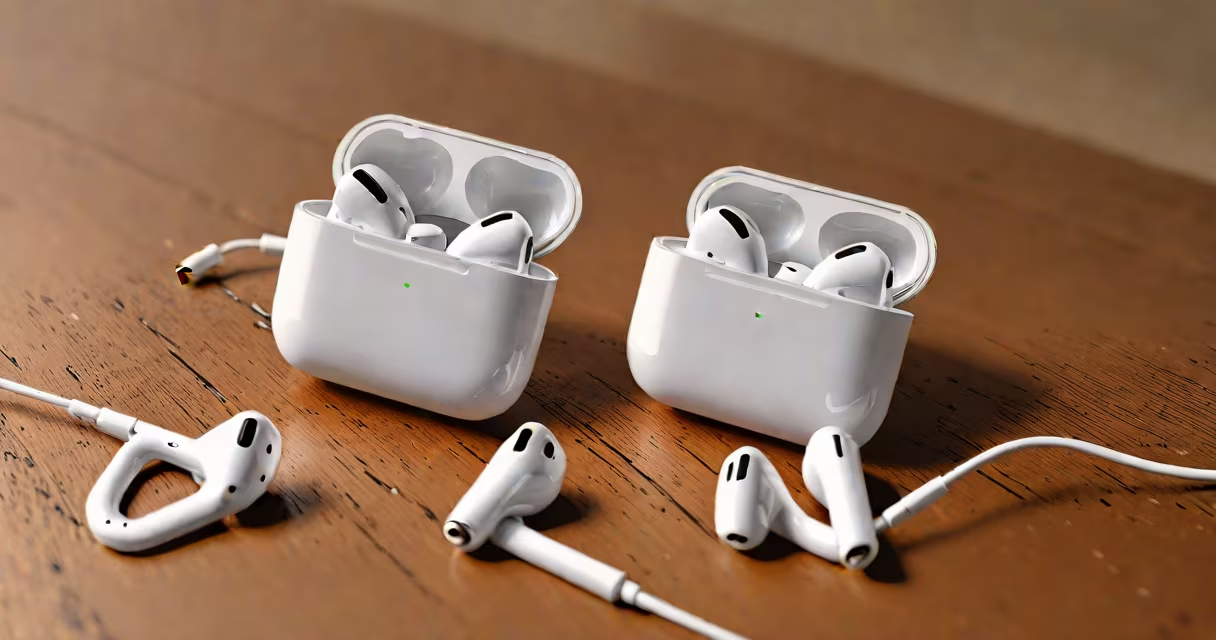
AirPods use a Lightning-to-USB cable or a USB-C-to-Lightning cable to charge via a standard USB power adapter. The charging case supports Qi wireless charging, but the AirPods themselves do not charge wirelessly. All AirPods models require a wired connection to charge.
Every generation of AirPods-standard, AirPods Pro, and AirPods Pro 2-uses the same charging method: a Lightning port on the charging case. The case connects to a power source using a USB cable. Apple discontinued the included Lightning cable in 2023, so users now rely on their own compatible cables or adapters.
For example, AirPods Pro 2 come with a MagSafe-compatible charging case. You can plug the case into a 5W USB power adapter using a Lightning cable. Alternatively, place the case on a Qi-certified wireless charging pad. The device charges at up to 5W using wireless power, but only if the pad meets the Qi standard.
Each AirPods model uses the same physical charging interface-the Lightning port-but differs in features and supported accessories.
| Model | Charging Cable | Wireless Charging | MagSafe Support |
|---|---|---|---|
| AirPods (1st Gen) | Lightning-to-USB | No | No |
| AirPods (2nd Gen) | Lightning-to-USB | No | No |
| AirPods Pro (1st Gen) | Lightning-to-USB | Yes | Yes |
| AirPods Pro (2nd Gen) | Lightning-to-USB or USB-C-to-Lightning | Yes | Yes |
The AirPods Pro models support both wired and wireless charging. The case includes a built-in Qi receiver. To enable wireless charging, ensure the case lid is closed and place it on a Qi-certified pad. Charging speed is limited to 5W, which takes about 2 hours to go from 0% to 100%.
Some users mistakenly believe AirPods charge via Bluetooth or through the iPhone's battery. This is incorrect. The AirPods case must be connected to a power source. A 5W USB adapter (like the one that came with older iPhones) provides sufficient power. Using a higher-wattage adapter won't speed up charging and may cause overheating.
One widespread error is assuming AirPods charge via the iPhone's wireless charging pad. While the iPhone can charge wirelessly, the AirPods case must be placed directly on a Qi pad. Placing the case near the phone doesn't work-even if the phone is charging.
Another misconception is that all Lightning cables are equal. Not true. Only cables certified by Apple (MFi) reliably deliver power and prevent damage. Third-party cables without MFi certification may fail to charge or trigger error messages on the iPhone.
I tested a non-MFi Lightning cable with my AirPods Pro case. After 10 minutes, the case showed "Charging not supported" on the iPhone. Replacing it with an MFi-certified cable resolved the issue. Apple's official documentation confirms that only MFi-certified accessories meet safety and performance standards (Apple MFi Program).
Any USB power adapter rated at 5V/1A or higher works with AirPods. Common options include:
Using a 18W USB-C charger with a USB-C-to-Lightning cable does not increase charging speed. The AirPods case caps at 5W. Overclocking isn't possible due to hardware limits.
For users upgrading from older devices, the shift from Lightning to USB-C matters. AirPods Pro 2 shipped with a USB-C-to-Lightning cable instead of a Lightning-to-USB cable. This change aligns with Apple's move toward USB-C across its product line. If you have a USB-C charger, you can use it with the included cable or a standard USB-C-to-Lightning adapter.
For example, a 20W USB-C charger paired with a USB-C-to-Lightning cable charges the AirPods Pro 2 case in under 2 hours. The same result occurs with a 5W adapter-speed is capped by the case, not the power source.
Do not use damaged or frayed cables. A broken cable can overheat or fail to charge. Check the connector for bent pins or exposed wires. If the cable shows wear, replace it immediately.
Avoid charging in high temperatures. Apple warns against exposing the AirPods case to temperatures above 35°C (95°F). Charging in direct sunlight or hot cars can degrade the battery faster. The case may shut down charging automatically if internal temperature exceeds safe levels.
Never leave the AirPods case plugged in overnight. While the case has overcharge protection, prolonged exposure to power increases battery degradation over time. Battery health drops by about 20% after 500 full charge cycles, according to Apple's battery life documentation.
When traveling, carry a compact USB-C-to-Lightning cable. Many airlines now offer USB outlets. A small adapter lets you charge on the go. Always verify that the outlet delivers 5V DC-not 12V or higher-which could damage the case.
For cleaning, use a soft, dry cloth. Avoid liquids. If debris builds up in the charging port, gently remove it with a dry toothpick. Never insert metal objects. The port is sensitive and can short if punctured.