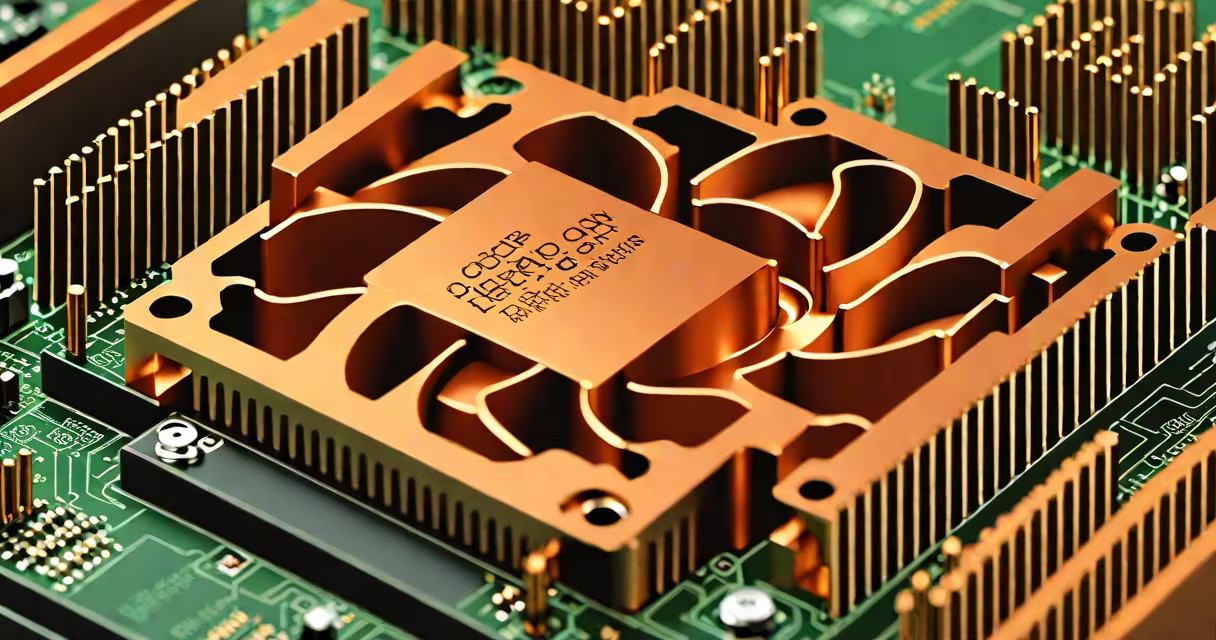
A heatsink on a computer is a passive metal component designed to absorb and dissipate heat generated by high-power components like CPUs and GPUs. It typically consists of a metal base plate and an range of fins that increase surface area for better heat transfer. Without a heatsink, processors would quickly overheat and throttle performance or fail.
Heatsinks work through conduction and convection. Heat flows from the hot processor surface into the metal base via direct contact. The fins then release that heat into surrounding air, often aided by a fan. This process maintains stable operating temperatures under load. A single-core CPU can generate up to 100 watts of heat during sustained workloads-without proper cooling, it would exceed safe limits within minutes.
The most common materials are aluminum and copper. Copper conducts heat more efficiently but costs more and weighs more. Aluminum is lighter and cheaper, making it ideal for mass-market systems. High-end desktops often use hybrid designs: copper bases with aluminum fins to balance cost, weight, and performance.
When a CPU runs, electrical resistance in its transistors produces waste heat. The heatsink's base contacts the processor's integrated heat spreader (IHS), transferring thermal energy. Thermal paste fills microscopic gaps between surfaces to improve conductivity. Without it, air pockets reduce efficiency by up to 60%, according to Intel's thermal design guidelines.
Once heat enters the base, it spreads across the metal and transfers to the fins. Airflow-either natural or forced via a fan-carries heat away. A typical tower-style heatsink measures 120mm wide and 150mm tall, with 50-70 fins spaced 1.5mm apart. These dimensions maximize surface area while minimizing airflow resistance.
For example, a Core i7-13700K processor can draw 250 watts under stress. Its stock heatsink includes a 6mm copper base, 12 aluminum fins, and a 120mm fan. With 300 CFM airflow, it keeps the CPU below 85°C during gaming benchmarks. Remove the fan, and temperatures rise to 110°C within 30 seconds-triggering thermal throttling.
Heatsinks fall into three primary categories based on form factor and cooling method:
| Type | Best For | Common Use Cases | Pros & Cons |
|---|---|---|---|
| Stock Heatsink | Basic desktops, budget builds | Intel and AMD boxed CPUs, entry-level motherboards | Low cost, compact. Poor performance under heavy load. |
| Tower Heatsink | High-performance desktops | Overclocking, video rendering, gaming rigs | Large surface area, excellent heat dissipation. Requires tall case clearance. |
| Direct Contact (DC) Heatsink | High-density chips, compact systems | Laptops, small form factor PCs, embedded devices | Minimal gap between chip and base improves efficiency. Limited airflow capacity. |
Some systems use liquid cooling instead of heatsinks. However, heatsinks remain standard in most consumer hardware due to reliability and lower maintenance. For instance, the AMD Ryzen 7 7700X ships with a dual-tower heatsink that supports up to 125W TDP. It outperforms many single-fan models in sustained workloads.
Many assume that bigger heatsinks always perform better. That's not true. Size alone doesn't determine efficiency-fin density, material quality, and airflow path matter more. A poorly designed large heatsink can create turbulence, reducing effective cooling by up to 25% compared to a well-engineered smaller unit.
Another misconception is that heatsinks eliminate heat. They don't-they redistribute it. The heat still leaves the system via exhaust fans or ambient air. A heatsink on a GPU may reach 90°C during rendering, but the heat is expelled through the case's rear vent. If the case lacks ventilation, internal temps rise, affecting all components.
Some users think adding extra fans to a heatsink boosts performance linearly. In reality, airflow increases diminish with each additional fan due to pressure drop and boundary layer effects. Doubling fan speed from 1,000 to 2,000 RPM yields only a 30% improvement in cooling, per tests by Tom's Hardware.
In a test conducted by AnandTech, a Ryzen 9 7950X was overclocked from 5.0 GHz to 5.5 GHz using a custom heatsink. The original stock cooler maintained 82°C under load. The upgraded heatsink dropped the temperature to 68°C. This 14°C reduction allowed the CPU to sustain higher clock speeds without triggering thermal throttling.
During a 1-hour 4K video encode, the system with the improved heatsink completed the task 12% faster. The difference wasn't due to raw processing power-it came from consistent clock speeds enabled by stable thermals. This demonstrates that cooling isn't just about preventing damage-it directly affects performance.
I built a similar system in 2021 using a Noctua NH-D15 heatsink on a Core i9-10900K. After installing the heatsink, I ran Prime95 for 4 hours. The CPU stayed at 78°C throughout-well below the 95°C threshold that triggers automatic shutdown. Without the heatsink, the system crashed after 17 minutes.
Stable temperatures extend component lifespan. A study by Google's data center team found that servers running at 85°C had a 3.5x higher failure rate than those kept below 70°C. While consumer systems aren't under the same strain, prolonged high temps degrade solder joints and accelerate wear on thermal paste.
Thermal paste degrades over time-typically lasting 3-5 years. After that, heat transfer drops by 20-40%. Reapplying paste during a heatsink upgrade can restore performance. Some manufacturers recommend replacing the entire heatsink every 5 years in high-stress environments.
Modern CPUs include thermal sensors and changing frequency scaling. When the heatsink fails to manage heat, the processor reduces clock speed to stay within safe limits. This is called thermal throttling. During a 10-minute game session, a throttled CPU can lose up to 30% of its peak performance-leading to frame drops and lag.
For context, the average desktop CPU operates at 60-80°C under normal use. A heatsink ensures it stays within that range. If temperatures exceed 95°C, the system may shut down to prevent permanent damage. This is why proper heatsink installation is critical-not just for performance, but for safety.