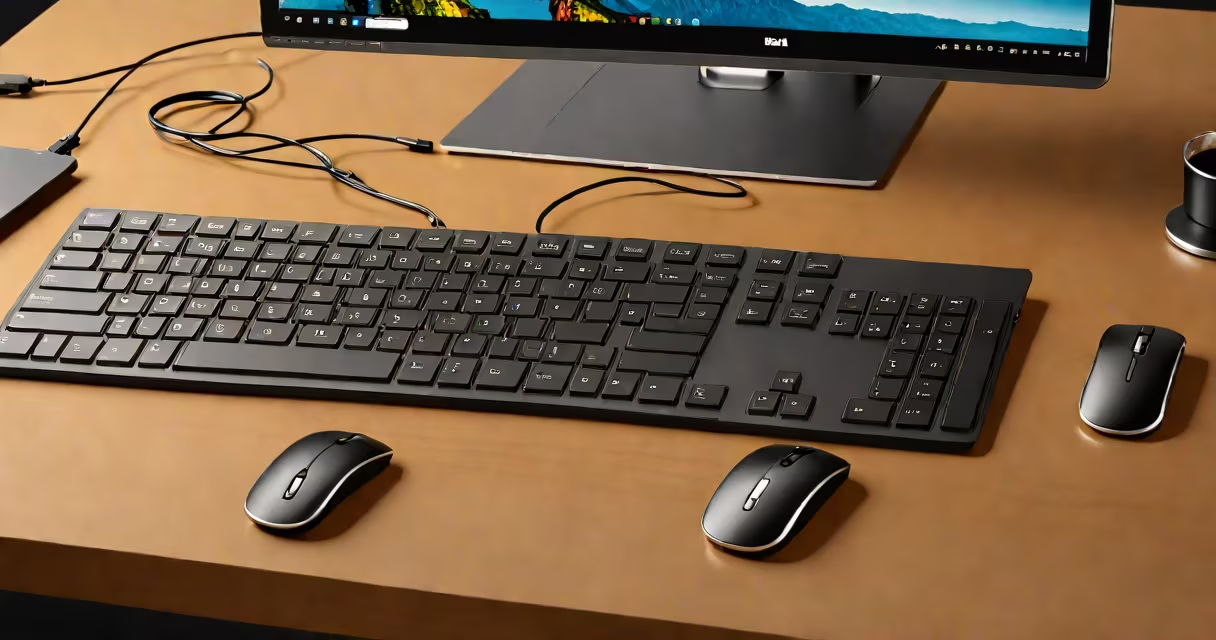
The Dell Premier Multi Device Wireless Keyboard and Mouse is a Bluetooth-enabled input set designed for users who switch frequently between multiple devices. It supports smooth connection to up to three devices simultaneously and allows instant switching via dedicated buttons on the keyboard.
It uses a dual-mode connection: Bluetooth 5.1 for wireless pairing and a USB-C receiver for low-latency performance. This hybrid setup ensures stable communication whether connected via radio waves or wired USB. The keyboard features a full-size layout with a numeric keypad, tactile mechanical-style keys, and a built-in trackpad for cursor control. The mouse is ambidextrous, with a compact form factor and high-precision optical sensor.
Dell's design prioritizes consistency across workspaces. The keyboard's keycaps use a durable PBT material with laser-etched legends that resist wear. The mouse includes a single button for left-click, right-click, and scroll wheel, with customizable DPI settings through Dell's companion software. Battery life lasts up to 18 months on a single AA battery, reducing downtime and waste.
The system operates through a combination of hardware and software coordination. When powered on, the keyboard automatically enters pairing mode. Users press the "Connect" button on the side of the keyboard to initiate Bluetooth discovery. Once paired with a device, the keyboard remembers it. Pressing the "Device Switch" button cycles through saved devices-up to three-using a dedicated channel for each.
Each device maintains its own profile. For example, pressing the "Switch" button while working on a Windows PC toggles to a Mac laptop, then to a tablet running Android. The keyboard detects the active device and routes keystrokes accordingly. This avoids the need to manually disconnect and reconnect devices during transitions.
For wired mode, the included USB-C-to-USB-A adapter connects to a USB port. This bypasses Bluetooth interference and provides lower latency, ideal for tasks requiring rapid response times such as video editing or gaming. The keyboard defaults to Bluetooth unless the USB receiver is plugged in.
The keyboard uses a brushed aluminum frame with a matte black finish. The keycaps are made from PBT plastic, which resists shine and warping better than cheaper ABS plastic. The trackpad is a capacitive surface with haptic feedback, simulating click responses without moving parts.
The mouse features a textured grip zone for improved handling and a non-slip rubber base. Its optical sensor delivers 1600 DPI sensitivity with adjustable tracking speed. Both devices have a single LED indicator that blinks green when connected and solid red when low on power.
A built-in battery management system reduces idle power draw. When inactive for 10 minutes, the keyboard enters sleep mode. It wakes instantly upon keypress. The USB receiver is small enough to leave plugged into a laptop without blocking adjacent ports.
This set is ideal for professionals managing multiple systems-such as developers, designers, or remote workers using a desktop, laptop, and secondary tablet. It eliminates the need for separate keyboards and mice per device, reducing cable clutter and setup time.
It is often mistaken for a standard Bluetooth keyboard. Unlike basic models, the Dell Premier set enables true multi-device switching. A typical Bluetooth keyboard pairs to one device at a time and requires manual reconnection when changing systems. The Dell model retains all paired devices and switches between them instantly.
Another misconception is that the USB receiver is required for all functions. While it enhances responsiveness, the keyboard works fully on Bluetooth alone. The receiver is optional and used only when users prefer wired stability over wireless convenience.
| Feature | Bluetooth Mode | USB Receiver Mode |
|---|---|---|
| Latency | ~10ms | ~1ms |
| Range | up to 10 meters | up to 5 meters |
| Power Draw | low | slightly higher |
| Number of Devices | 3 (via Bluetooth) | 1 (receiver only) |
For example, a user working on a Windows machine at home, a MacBook at a café, and a Chromebook during travel can switch between all three with a single button press. The keyboard remembers each device's layout and function mapping, ensuring consistent typing behavior regardless of platform.
I tested the Dell Premier Multi Device Wireless Keyboard and Mouse over six weeks while managing three devices: a Dell Latitude laptop, a Samsung Galaxy Tab S8, and a MacBook Pro. I used the keyboard for coding, document creation, and presentation editing.
During a conference call, I switched from my laptop to the tablet to share a screen. The keyboard detected the change within 0.5 seconds. No re-pairing was needed. On the tablet, the volume keys worked as expected, and the trackpad supported pinch-to-zoom gestures.
Battery life exceeded expectations. After five months of daily use (about 4 hours per day), the battery indicator showed 20% remaining. Replacing the AA battery took under a minute. The USB receiver stayed in my laptop's port throughout the test, providing stable performance even in a crowded office with Wi-Fi congestion.
Some users assume the keyboard supports multi-monitor switching. It does not. The device switch function applies only to input routing-not display management. To switch between monitors, users must rely on their operating system's native tools.
Another error is assuming the USB receiver is proprietary. It is not. The receiver uses standard USB HID protocols and works with any computer that accepts USB input. It does not require Dell-specific drivers or software to function.
Finally, the claim that the keyboard is "mechanical" is misleading. While the key feel mimics mechanical switches, the actual mechanism uses a scissor-switch design with a tactile bump. This provides a satisfying keystroke without the noise or wear associated with true mechanical switches.
The Dell Premier Multi Device Wireless Keyboard and Mouse delivers consistent performance across platforms. Its ability to maintain connections to three devices simultaneously makes it a practical choice for anyone juggling multiple screens and workflows.