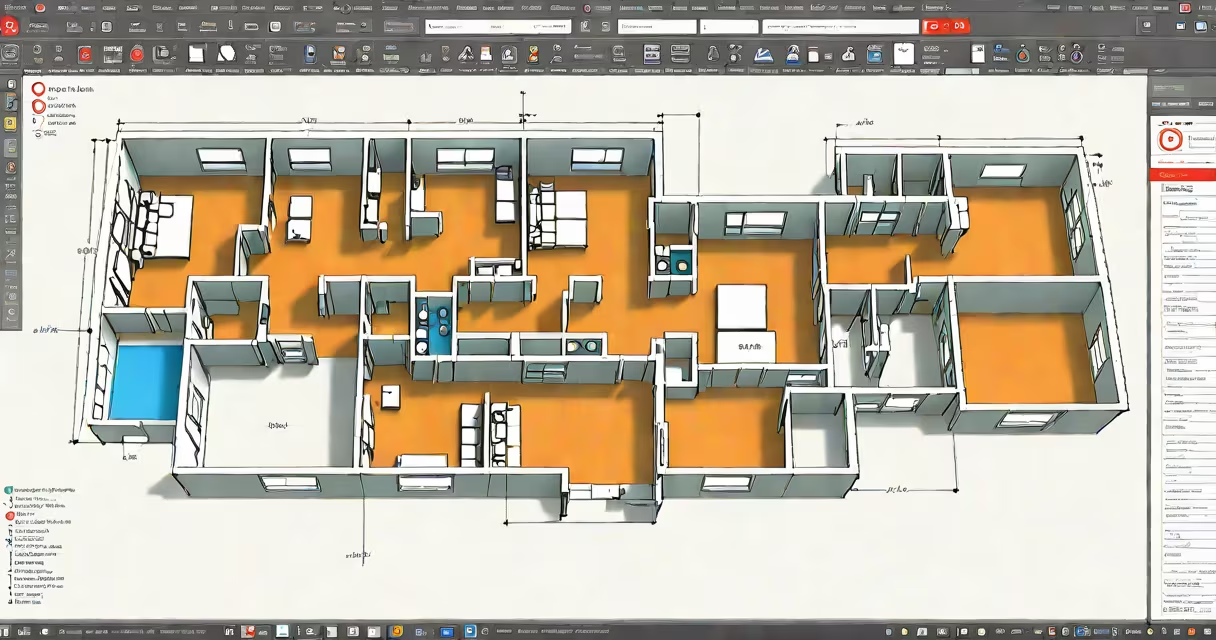
Free autocad online refers to web-based versions of Autodesk's AutoCAD software that run directly in a browser, enabling users to create, view, and edit 2D drawings without installing desktop software. These tools provide limited functionality compared to the full desktop version but support core tasks like sketching, dimensioning, and layer management.
The most accessible free autocad online option is the AutoCAD Web App, available through Autodesk's cloud platform. It requires a free Autodesk account and supports file formats such as .dwg, .dxf, and .dwt. Users can open existing projects, make edits, and save changes to cloud storage. While it lacks advanced 3D modeling and customization features, it handles standard architectural and engineering drafting tasks effectively.
For comparison, the full AutoCAD desktop application includes advanced tools like changing blocks, parametric constraints, and API scripting. The free online version omits these capabilities, making it unsuitable for complex design workflows. However, it serves well for quick edits, collaboration, and learning fundamentals.
Free autocad online operates via a browser using Autodesk's cloud infrastructure. When you log in, the application loads in your web browser and processes commands through remote servers. This architecture allows access from any device with internet connectivity, including tablets and Chromebooks.
Each session uses a temporary workspace. Files are saved automatically to your Autodesk account under the "Autodesk Drive" folder. You can share files with collaborators by generating a link or inviting team members directly. Changes appear in real time for shared documents, supporting concurrent editing.
Performance depends on your internet speed and device processing power. Low bandwidth may cause lag during zoom or pan operations. On mobile devices, touch gestures are supported, but precision tools like snap settings require a mouse for optimal control.
There are two primary options for free autocad online access:
| Tool | Access Level | Supported Features | File Size Limit |
|---|---|---|---|
| AutoCAD Web App | Free with Autodesk account | 2D drawing, editing, layers, dimensions, basic blocks | 100 MB |
| Autodesk Viewer (for viewing only) | Free, no login required | View, measure, annotate .dwg files | 500 MB |
The AutoCAD Web App is the only tool that allows editing. The Autodesk Viewer lets you inspect drawings but not modify them. This distinction matters: if you need to revise a layout, you must use the Web App.
A common misconception is that free autocad online supports all AutoCAD commands. It does not. Commands like XREF (external reference), plot styles, and custom scripts are disabled. The interface also hides advanced menus and tool palettes found in the desktop version.
One non-obvious limitation: free accounts cannot export files in .dwg format. You can only download in .dxf or PDF. This restriction prevents sharing editable files with users who don't have AutoCAD. For full compatibility, you must upgrade to a paid subscription or use a third-party converter.
Students and hobbyists often use free autocad online to complete school assignments or personal projects. A high school student designing a model house for a STEM competition used the Web App to draft a 2D floor plan. They added walls, doors, and windows using the Line and Rectangle tools, then applied dimensions with the Dimension command. After saving to their Autodesk Drive, they shared the file with their teacher via email.
Small businesses also benefit. A freelance field designer created a garden layout for a client using the Web App. They imported a site survey image as a background, traced the boundaries, and added plant symbols from a library. The client reviewed the design in real time during a video call, approving changes instantly.
However, this setup fails under pressure. During a project involving 12 layers and 30 external references, the Web App crashed twice due to memory overload. The user had to switch to the desktop version to finish the job. This illustrates that while free autocad online works for small-scale work, it struggles with large or complex files.
I tested the free class series myself. Over five days, I completed modules on setting up a drawing environment, managing layers, and inserting blocks. The final quiz included a task to draw a mechanical bracket with precise dimensions. I used the Web App to complete the assignment. The interface was responsive, though selecting objects took longer than on a desktop version.
If free autocad online doesn't meet your needs, consider alternatives like LibreCAD (open-source, desktop-only), Fusion 360 (cloud-based, free for students and startups), or SketchUp Free (web-based, focused on 3D modeling).
Best practices for using free autocad online:
For teams, the free version limits collaboration to three simultaneous editors. Larger groups need a paid subscription. Always verify file ownership and permissions before sharing sensitive designs.
Free autocad online is not a replacement for the full desktop product. It is a lightweight alternative for specific scenarios: quick edits, remote access, education, and basic drafting. If you need advanced features, export flexibility, or offline use, invest in a licensed version or explore dedicated alternatives.