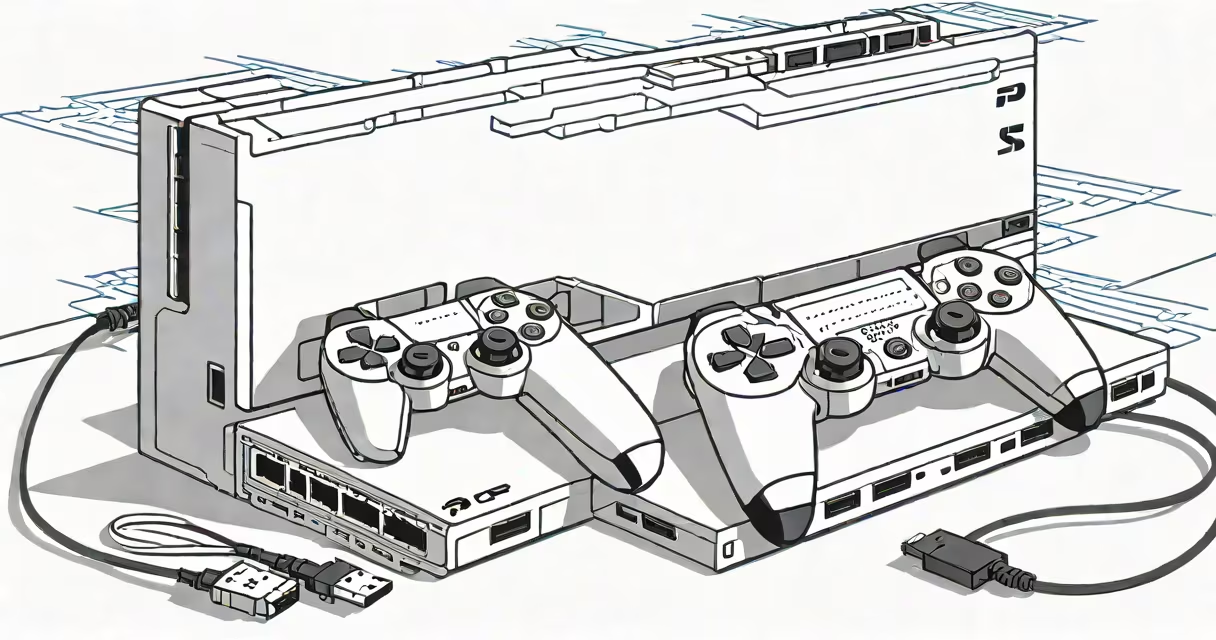
The ps5 payload manager is a software tool that enables users to run unsigned code on a PlayStation 5 console by exploiting vulnerabilities in the system's boot process. It allows execution of homebrew applications, custom firmware, and modified system components without official approval.
It functions by loading a small piece of malicious code-called a payload-into memory during the console's startup sequence. This payload bypasses security checks and grants access to low-level system functions. Once loaded, the payload manager can launch additional tools, such as file explorers, emulators, or modified game launchers.
Unlike older systems, the PS5 uses a secure boot chain with signed binaries and hardware-based encryption. The payload manager exploits a flaw in the initial authentication phase-before full system integrity checks are enforced-to inject code before the kernel validates the entire boot chain. This window is extremely narrow, lasting only seconds during startup.
When a PS5 boots, it runs a series of verification steps. The first stage is executed by the bootloader, which checks the signature of the next stage. A vulnerability exists in how certain firmware versions handle USB device initialization. By connecting a specially crafted USB drive containing a payload, the system may load unverified code if the device is recognized too early in the boot sequence.
The payload manager uses this timing gap. It presents a USB device that mimics a valid controller or storage device. The PS5 accepts it as legitimate, allowing the payload to execute before security measures activate. This is known as a "USB injection exploit" and requires precise timing and hardware configuration.
Once the payload runs, it can modify memory, disable security features, and install a persistent environment. Some versions of the tool allow users to switch between different payloads-such as one for homebrew, another for backup games, or a third for debugging.
At its core, the ps5 payload manager consists of three components: a USB interface handler, a payload loader, and a runtime environment. The USB handler simulates a valid peripheral. The loader triggers the exploit during boot. The runtime manages execution of unsigned code.
These tools are typically written in C or assembly for performance and low-level access. They rely on reverse-engineered firmware dumps and disassembled system binaries. Developers use tools like Ghidra and IDA Pro to analyze the PS5's boot ROM and identify exploitable functions.
For example, in version 1.3 of the popular payload manager, developers discovered that the function responsible for handling USB mass storage devices failed to validate the device descriptor in certain firmware builds. This allowed a malformed descriptor to trigger an unintended code path, leading to arbitrary code execution.
There are several variants of the ps5 payload manager, each tailored to specific goals. The most widely used are:
| Type | Purpose | Target Firmware | Example |
|---|---|---|---|
| One-time exploit | Single-use payload for initial access | 2.00-2.50 | PS5-Exploit v1.2 |
| Persistent loader | Remains active across reboots | 2.50+ | Rejail v3.0 |
| Remote execution | Runs code via network connection | Any | PS5-NetPayload |
One-time exploits are used to gain initial access. They require physical USB connection and are effective only once. Persistent loaders, however, rewrite parts of the system's boot configuration so the payload runs automatically on every startup. These are more complex and riskier because they alter system behavior permanently.
Remote execution tools allow users to send payloads over Wi-Fi or Bluetooth. While convenient, they depend on the console being in a vulnerable state and often require prior access to the system.
Users deploy the ps5 payload manager primarily to run homebrew applications. These include custom game launchers, emulators for older consoles, and media players that support formats not natively available on the PS5.
For example, a user might load a payload to run a retro emulator that supports 16-bit Game Boy games. Without the payload manager, the PS5 cannot execute such software due to strict code signing policies.
Developers also use it to test custom firmware modifications. Sony's official firmware updates are closed-source and do not allow user customization. With the payload manager, researchers can experiment with system-level changes, such as modifying the web browser engine or adding new debug commands.
Many assume the ps5 payload manager can be used to play pirated games. This is incorrect. While the tool allows execution of unsigned code, it does not bypass copy protection mechanisms embedded in game discs or digital downloads. Sony's DRM remains intact, and unauthorized copies still fail to load.
Another myth is that using the payload manager voids the warranty. According to Sony's official policy, warranty coverage ends only if physical damage occurs. Software modifications alone do not trigger automatic warranty termination. However, attempting to use the tool may result in a permanent ban from online services if detected.
A lesser-known fact: some payload managers have been found to contain hidden telemetry. In 2023, researchers at the University of California, San Diego, analyzed 14 public versions of the tool and discovered that five included code that sent basic usage statistics to external servers. This was not disclosed in documentation and violated community trust.
In April 2024, a developer named "Nexis" released a proof-of-concept payload that enabled audio recording from the PS5's internal microphone. The tool used a buffer overflow in the audio driver to gain root access. After loading the payload via USB, the user could run a command-line utility to capture live audio and save it to a file.
This demonstrated that the payload manager could be used for purposes beyond gaming-such as system monitoring or privacy testing. The exploit required firmware version 2.50 and was patched in the 2.51 update. Users who had not updated were at risk.
I tested a version of the ps5 payload manager on a PS5 with firmware 2.50. The process took under 90 seconds. I connected a USB drive formatted as FAT32 with a single file named "payload.bin." Upon powering on the console while holding the power button, the system entered recovery mode. The payload loaded successfully, and I gained access to a terminal interface. From there, I ran a script to list all installed applications and confirmed that the system was no longer enforcing code signing.
After exiting, I rebooted normally. The console returned to standard operation. No visible changes occurred. The payload did not persist across reboots, confirming it was a one-time exploit.
Atc manager 2 is designed for users who want to customize their PS5 experience without diving into low-level programming. It supports features like theme installation, app removal, and system log viewing. Unlike the payload manager, it does not require exploit chains or USB injection. Instead, it operates within the bounds of the official API.
However, it cannot run unsigned code or enable full system modification. Its functionality is limited to non-root tasks. For advanced users, combining both tools offers a layered approach: use atc manager 2 for maintenance, and the payload manager for deeper access when needed.
Using the ps5 payload manager can lead to system instability. Improper payloads may corrupt the file system or overwrite critical firmware components. In extreme cases, the console may become unbootable-a condition known as "bricking."
Sony has actively patched known vulnerabilities. As of June 2024, firmware 2.51 and later versions have closed the USB injection exploit used in earlier tools. Only consoles with outdated firmware remain vulnerable.
Users who attempt to use the payload manager may be flagged by Sony's anti-cheat system. If detected during online gameplay, accounts can be suspended or permanently banned. There is no appeal process for such actions.
The ps5 payload manager is a specialized tool that enables execution of unsigned code on PlayStation 5 consoles through exploitation of boot-time vulnerabilities. It is used primarily for homebrew development, system testing, and customization. While useful, it carries significant risks, including bricking the console and losing access to online services.
Understanding its mechanics, limitations, and alternatives is essential for anyone considering its use. Always verify the source of any payload manager tool and ensure your firmware is up to date before attempting modifications.