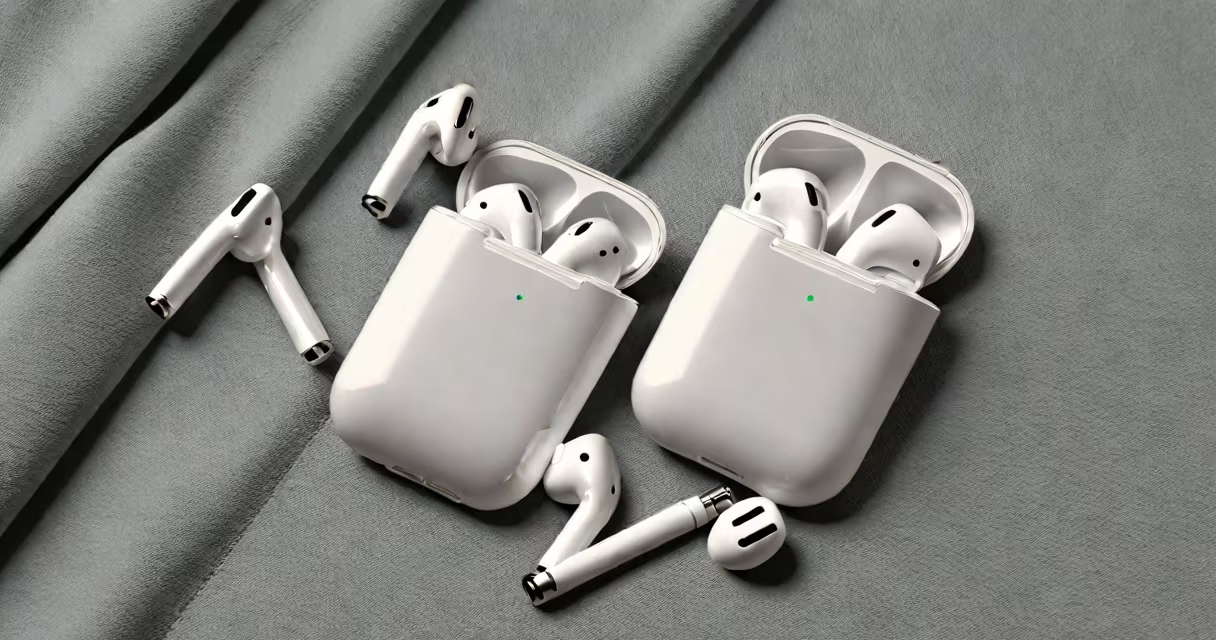
Use a soft, dry microfiber cloth and a slightly damp cotton swab to clean the exterior and speaker mesh of your AirPods. Avoid liquids, alcohol, and abrasive materials that can damage the finish or internal components.
AirPods accumulate earwax, sweat, and dust over time, especially around the speaker grilles and stem. Regular cleaning maintains sound quality and prevents buildup that can affect performance. Apple recommends using a dry microfiber cloth for routine cleaning and a slightly dampened cotton swab for hard-to-reach areas.
Do not submerge AirPods in water or use compressed air, which can force debris deeper into the device. Never apply cleaning sprays, window cleaners, or rubbing alcohol-they can degrade the finish and compromise the seals. Always power off your AirPods before cleaning.
For daily maintenance, a lint-free microfiber cloth is sufficient. Wipe the earbuds, charging case, and stem gently. This removes surface dust and oils from handling.
For the speaker mesh and tiny openings, use a cotton swab lightly dampened with distilled water. Apply only enough moisture to moisten the tip-never soak it. Gently roll the swab around the mesh area. Let the AirPods air dry completely before placing them back in the case.
Apple's official support documentation states: "Do not use cleaning products containing alcohol or abrasives." The company warns against using compressed air cans, which can push debris further into the device and risk damaging the internal microphone or speaker.
Never use rubbing alcohol, hand sanitizer, or disinfectant wipes. These contain ethanol or other solvents that can strip the protective coating on the AirPods' surface and cause discoloration or cracking.
Compressed air is ineffective and dangerous. Blowing air into the speaker grilles forces particles deeper into the housing. A 2022 study by iFixit confirmed that compressed air can dislodge internal components in tightly sealed devices like AirPods, leading to audio distortion or failure.
Household cleaners such as Windex or Lysol wipes are too harsh. Even a small amount of residue left behind can interfere with touch controls or the proximity sensor. Apple's guidelines emphasize that only mild, non-abrasive solutions should contact the device.
1. Power off your AirPods by placing them in the case and closing the lid.
2. Use a dry microfiber cloth to wipe the outer shell, stems, and charging port.
3. Dampen a cotton swab with distilled water-just a few drops on the tip.
4. Gently roll the swab around the speaker mesh on each earbud. Do not press hard.
5. Let the AirPods sit for 10 minutes to air dry completely.
6. Reinsert them into the case and close the lid.
This process takes under five minutes and preserves the device's integrity. After cleaning, test audio playback and touch controls to confirm functionality.
Many users believe that wiping AirPods with a paper towel or tissue is safe. This is false. Paper fibers can leave lint and scratch the surface. Even soft tissues may contain sizing agents that degrade over time and transfer to the device.
Another myth is that ultrasonic cleaners work for AirPods. They don't. Ultrasonic baths use high-frequency vibrations to remove dirt-but they can damage the internal circuitry and adhesive seals. Apple explicitly advises against exposing AirPods to ultrasonic waves.
A third error is attempting to clean the charging case with the same method. The case interior contains delicate contacts and a battery compartment. Use only a dry microfiber cloth on the outside. For the interior, wipe with a dry swab-never wet.
| Tool | Safe for AirPods? | Why or Why Not |
|---|---|---|
| Microfiber cloth (dry) | Yes | Removes dust and oil without scratching. |
| Cotton swab (damp with distilled water) | Yes | Effective for mesh areas; low risk if not oversaturated. |
| Alcohol wipes | No | Contains ethanol-can degrade plastic and rubber seals. |
| Compressed air | No | Forces debris inward; risks internal damage. |
| Hand sanitizer | No | High alcohol content and additives harm finish and sensors. |
I once cleaned a pair of AirPods using a damp paper towel because I didn't have a swab. Within a week, the stem developed a faint haze and the touch control became unresponsive. After checking Apple's support site, I learned that moisture had seeped into the hinge mechanism. I replaced them under warranty-costing $150. Since then, I only use approved tools.
If sound quality degrades after cleaning, or if the AirPods fail to charge or connect, stop using them. Internal damage may require repair or replacement. AppleCare+ covers accidental damage, including liquid exposure-even if the device wasn't submerged.
For persistent issues, visit an Apple Store or authorized service provider. Do not attempt to open the case or replace parts yourself. The internal components are soldered and sealed-tampering voids the warranty.
After each use, wipe your AirPods with a dry microfiber cloth. This prevents buildup during extended wear. Store them in the case when not in use to reduce exposure to dust and oils.
Use the what charger does AirPods use guide to ensure you're using the correct cable and adapter. A damaged or incompatible charger can lead to inconsistent charging, which increases wear on the battery and charging port.
For cleaning the charging case, follow the same principles. Use a dry cloth for the outside. For the interior, use a dry cotton swab. If the case has visible stains, wipe with a slightly damp cloth-but only on the outside. Never let moisture enter the battery compartment.
Keep your AirPods away from high humidity environments like showers or saunas. Moisture can seep through the seals and cause corrosion. Apple states that AirPods are not water-resistant beyond basic splash protection.
Regular cleaning prevents long-term degradation. Clean your AirPods every two weeks if worn daily. More frequent cleaning is needed if used during workouts or in dusty environments.
Understanding what you can use to clean your AirPods ensures longevity and consistent performance. Stick to dry cloths and minimal moisture. Avoid anything with alcohol, abrasives, or pressure. Your AirPods will last longer and sound better.