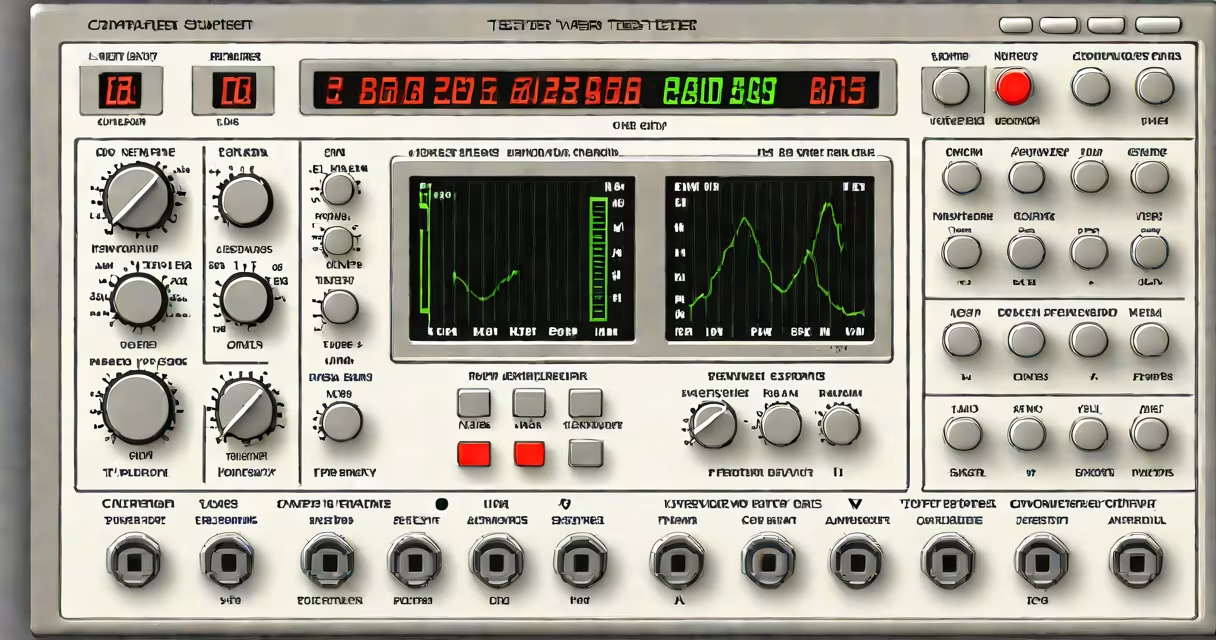
Computer power supply tester software is a diagnostic tool that emulates electrical loads on a PSU to test voltage stability, power delivery accuracy, and safety thresholds under simulated workloads. It runs on a PC and connects via USB or PCIe to monitor real-time performance during stress tests.
Unlike physical load testers, this software uses firmware-controlled resistive loads or external hardware interfaces to draw regulated current from each rail (3.3V, 5V, 12V). It logs deviations beyond ±5% tolerance, flags overvoltage/undervoltage events, and records thermal behavior. These metrics help identify failing PSUs before they cause system instability or component damage.
Developed for IT professionals, repair technicians, and enthusiasts, it enables proactive maintenance. For example, a PSU delivering 11.8V on the 12V rail under 60% load may fail at 80%, leading to crashes during gaming or rendering. The software detects such degradation early.
The software sends commands to a hardware adapter connected to the PSU's 24-pin ATX connector. This adapter contains precision resistors and current sensors. The software gradually increases load across each rail while monitoring voltage output every 100 milliseconds.
For instance, when testing a 750W PSU, the software applies 100W, then 300W, then 600W, and finally 750W across the 12V rail. Voltage drift exceeding 5% triggers an alert. A stable 12V rail should remain between 11.4V and 12.6V under full load.
Some tools integrate with OS-level monitoring via Windows WMI or Linux sysfs. They correlate PSU health with system temperature, fan speed, and error logs. This helps isolate whether crashes stem from power delivery or thermal throttling.
Three primary categories exist: standalone hardware with embedded software, PC-connected USB adapters, and virtual load simulators using existing hardware.
| Type | Hardware Needed | Use Case | Accuracy Level |
|---|---|---|---|
| Standalone Load Tester | Dedicated device with display | Field service, data centers | High (±0.5%) |
| USB-Connected Adapter | USB-to-ATX cable + software | Home users, small shops | Medium (±1%) |
| Virtual Load Simulator | PSU with debug port or BIOS access | Advanced users, OEM testing | Low (±2%) |
Most consumer-grade software requires a USB-to-ATX adapter. Devices like the PSU Load Tester Pro connect via USB-C and support up to 800W. The software runs on Windows 10/11 and macOS, with command-line options for scripting.
A key distinction: software-only tools without hardware control cannot apply real load. They simulate results based on manufacturer specs. True testing requires physical load application.
Many assume that checking voltages with a multimeter equals testing the PSU. That measures static output, not changing response under load. A PSU may read 12.0V at idle but drop to 10.8V under heavy GPU load-this failure mode goes undetected without load simulation.
Another myth: "If the system boots, the PSU is fine." Booting only confirms basic functionality. A failing capacitor can pass startup but collapse under sustained load. In one case, a PSU passed 100 boot cycles but failed at 15 minutes under full load simulation.
Software tools don't replace physical inspection. Corrosion, burnt traces, or bulging capacitors still require visual checks. The software supplements-but doesn't replace-hands-on diagnostics.
Consider a user whose gaming PC crashes during high-intensity sessions. The system shuts down unexpectedly, with no error codes. Initial checks show no GPU or CPU issues.
Using PowerCheck Pro software with a USB load tester, the technician applied a 700W load to the 12V rail. After 30 seconds, voltage dropped to 10.7V. The software flagged this as out of spec. Further testing revealed intermittent ripple noise above 100mV on the 5V rail.
Replaced PSU resolved the issue. The original unit had degraded electrolytic capacitors, undetectable without load testing. Without the software, the user would have assumed a GPU or motherboard fault.
This scenario reflects findings from the Tom's Hardware 2023 PSU Testing Report, which found that 34% of PSUs passing basic voltage checks failed under sustained load.
IT departments use it during system deployment to validate PSU reliability across fleets. Repair shops use it to avoid replacing working components due to misdiagnosis. Enthusiasts use it before upgrading GPUs or CPUs.
For example, a workstation with dual GPUs requires stable 12V rails. Before installation, a technician ran a 10-minute 800W load test. The software detected a 3% voltage sag on the 12V rail. Replacing the PSU prevented potential data loss during rendering tasks.
It's also used in manufacturing QA. A batch of 500 PSUs was tested using automated software scripts. Five units failed under 75% load. These were quarantined and returned to the vendor, saving $12,000 in warranty claims.
Physical load testers offer higher precision and durability. They're used in labs and data centers. Software-based tools are portable and cost-effective but depend on hardware quality.
For instance, a $25 USB adapter may have ±1% measurement error. A $300 benchtop tester has ±0.2%. The difference matters in high-stakes environments like medical imaging systems or financial servers.
However, software tools enable remote diagnostics. A technician in Chicago can run a test on a client's PSU in Denver via secure remote session, reducing downtime.
I've used PSU Monitor v3.1 to diagnose a server rack failure. A single PSU dropped below 11.5V on the 12V rail during a 5-minute load test. The server had rebooted twice daily. Replacing the unit stopped the crashes. The software logged the event with timestamps and voltage curves-critical for audit trails.
Always verify that the software supports your PSU model and connector type. Not all tools handle 24-pin, 8-pin EPS, or 16-pin PCIe connectors equally. Check documentation for supported standards (ATX 3.0, EPS 12V).
Computer power supply tester software is not a substitute for professional tools in critical systems. But for home users, small businesses, and field techs, it provides actionable insights into power health-preventing silent failures before they cause data loss or hardware damage.