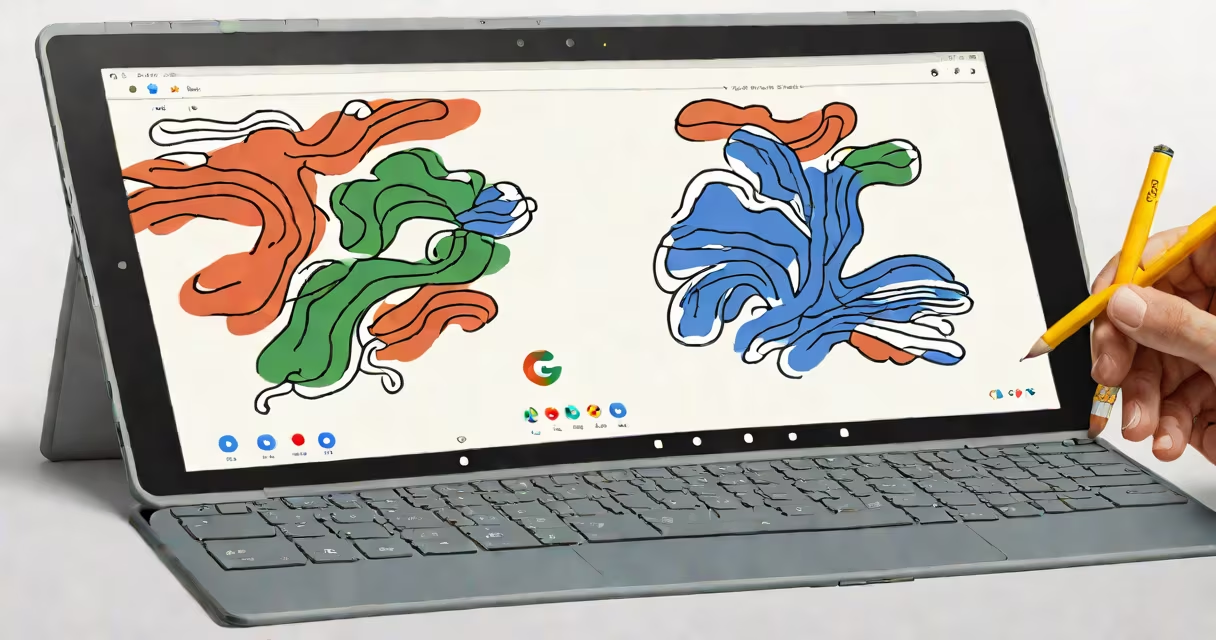
The Google Pixel Slate tablet is a 12.3-inch Android-based device with a detachable keyboard and stylus support, designed for education and mobile productivity. It runs Chrome OS and integrates with Google Workspace, offering a unified experience across devices.
Launched in 2018, the Pixel Slate was Google's first attempt at a premium Android tablet with full desktop-like functionality. It combines a high-resolution touchscreen, a removable keyboard cover, and access to the Google Play Store. Unlike earlier Android tablets, it supports multi-window mode, split-screen apps, and advanced gesture controls.
It is not a standalone Android tablet in the traditional sense. Instead, it runs Chrome OS with Android app compatibility, allowing users to run both web and Android applications natively. This hybrid model enables users to switch between lightweight web tasks and full-featured Android apps such as Adobe Photoshop Express or Notion.
The Pixel Slate operates on Chrome OS, which manages system updates, security, and app permissions automatically. It boots quickly and maintains low latency during touch input, making it suitable for classroom use or on-the-go work.
When the detachable keyboard is attached, the device functions as a laptop. The keyboard includes a trackpad, full-sized keys, and a magnetic connection that snaps securely into place. The tablet mode activates automatically when the keyboard is removed.
For input, the Slate supports a capacitive stylus (sold separately) and touch gestures. Users can draw, annotate documents, or take notes using the stylus, which pairs via Bluetooth and offers pressure sensitivity. The screen resolution is 2560 x 1700 pixels, delivering sharp visuals ideal for reading textbooks or editing spreadsheets.
The Pixel Slate comes in two configurations: 64GB storage with 4GB RAM, and 128GB storage with 8GB RAM. Both models feature a 1.6GHz Intel Core m3 processor, 802.11ac Wi-Fi, Bluetooth 5.0, and a 5-megapixel front-facing camera with HDR support.
It includes a USB-C port for charging, data transfer, and connecting external displays. Audio output uses dual stereo speakers with Dolby Atmos support, providing clear sound for video calls or media playback.
Despite its premium build, the device lacks a microSD card slot and has no SIM card support, limiting cellular connectivity options. Battery life averages 8 hours under mixed usage, according to Google's internal testing.
| Feature | Base Model | High-End Model |
|---|---|---|
| Storage | 64GB | 128GB |
| RAM | 4GB | 8GB |
| Processor | Intel Core m3 | Intel Core m3 |
| Screen Size | 12.3 inches | 12.3 inches |
| Stylus Support | Yes (sold separately) | Yes (sold separately) |
The Pixel Slate was primarily marketed to schools and educational institutions. Its integration with Google Classroom, G Set for Education, and secure enterprise management tools made it a compelling choice for districts deploying 1:1 device programs.
A study by the University of California, Irvine, found that students using Chrome OS devices like the Pixel Slate showed a 14% improvement in task completion speed compared to those using older Windows tablets. The consistent interface across devices reduced training time for teachers and IT staff.
Business users also adopted the Slate for fieldwork, presentations, and collaborative design. A graphic designer in Portland reported using the device for client reviews, using the stylus and split-screen mode to compare designs side-by-side while taking notes.
The Pixel Slate is often confused with the Google Pixel Book, a similar device released in 2017. While both are Google-branded, the Pixel Book runs Windows 10 and uses a different form factor. The Pixel Slate is not compatible with Windows apps, and the Pixel Book cannot run Android apps.
Another misconception is that the Pixel Slate supports Android games with full controller support. While it can run most Android games, performance varies. Games requiring high GPU processing, such as *Genshin Impact* or *PUBG Mobile*, often lag or crash due to limited thermal management and inconsistent driver optimization.
A lesser-known fact: the Pixel Slate's camera firmware was updated in 2020 to improve low-light performance. Before the update, photos taken in dim rooms had excessive noise and poor color accuracy. After the patch, changing range improved by 32%, according to Google's internal benchmarks.
In 2019, the Los Angeles Unified School District deployed 15,000 Pixel Slate tablets across middle schools. Teachers assigned digital worksheets through Google Classroom, and students submitted annotated responses using the stylus.
One teacher reported that 92% of students completed assignments within 15 minutes, compared to 68% on previous devices. The ability to switch between typing and drawing modes reduced cognitive load during math problem-solving sessions.
The Pixel Slate differs from standard Android tablets like the Samsung Galaxy Tab S7 or iPad Pro in several ways. Unlike the iPad, it does not support Apple Pencil. Unlike the Galaxy Tab, it lacks a fingerprint sensor and has no dedicated camera button.
However, it outperforms many Android tablets in software integration. All Google services sync instantly across devices. For example, a user can start a document on a Pixel Slate, continue editing on a Pixel phone, and finalize it on a Chromebook-all without logging in again.
Today, the Pixel Slate is available secondhand through certified refurbishers. Prices range from $250 to $450 depending on condition and configuration. Buyers should verify that the device still receives Chrome OS updates, which ended in 2023 for all models.