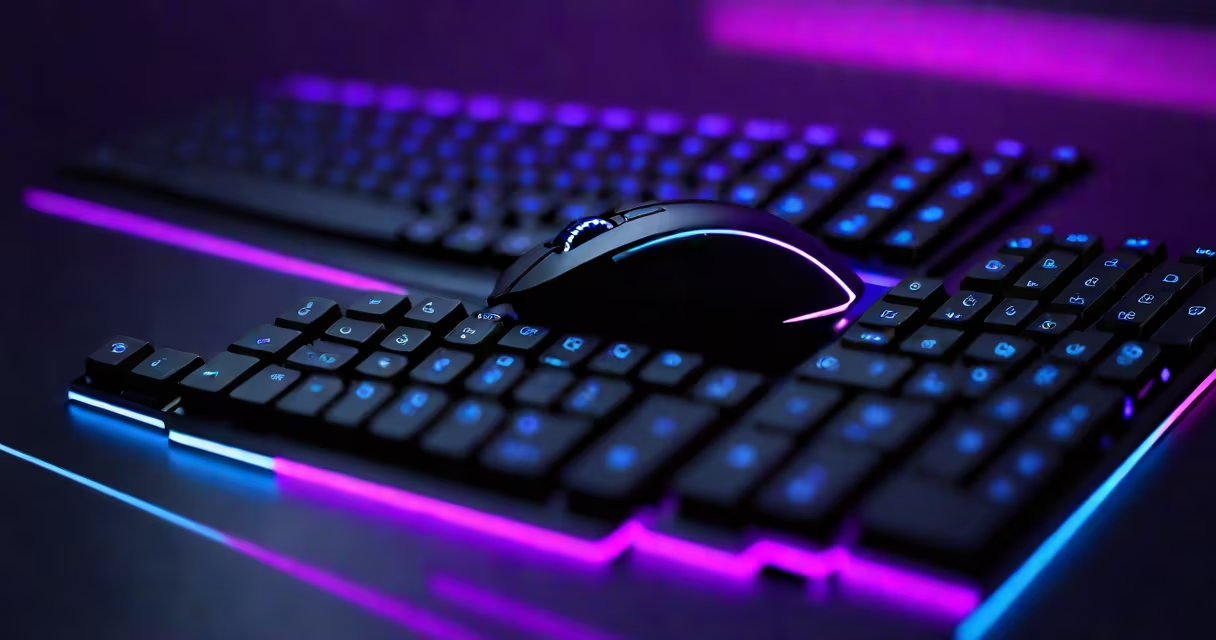
An RGB gaming keyboard and mouse is a pair of input devices designed for video games, featuring programmable colored lighting (red, green, blue, and combinations) across each key and mouse surface. These systems prioritize responsiveness, tactile feedback, and visual customization to improve gameplay and personalization.
RGB lighting uses individual LEDs embedded under each keycap and along the mouse's frame. These LEDs respond to game events, system triggers, or user-defined profiles. A standard setup includes a full-size keyboard with anti-ghosting, mechanical switches, and a matching mouse with adjustable DPI, customizable buttons, and a textured grip. Both devices connect via USB, often with dedicated software for lighting control and macro programming.
Manufacturers like Corsair, Logitech, and Razer integrate RGB into their premium gaming lines. For example, the Corsair K95 RGB Platinum features Cherry MX Speed switches, 1000Hz polling rate, and iCUE software that syncs lighting across multiple devices. The Logitech G502 HERO supports up to 16,000 DPI and allows users to assign lighting effects to specific actions like casting spells or reloading weapons.
Each key on an RGB gaming keyboard contains a small LED beneath the keycap. When activated through software, the LED emits light based on color settings, brightness levels, and animation modes. The mouse uses similar LEDs around the scroll wheel, side grips, and base. These lights are controlled by firmware and managed via a companion app that runs on Windows or macOS.
Lighting behavior is defined by zones-individual sections of the keyboard or mouse that can be assigned different colors or patterns. For example, a user might set the WASD keys to pulse red during combat, while the function row glows blue during menu navigation. Software like SteelSeries GG or Razer Synapse enables real-time changes based on in-game events, such as health drops or enemy detection.
Behind the scenes, the keyboard sends keypress data to the computer at 1ms response time. This low latency ensures actions register instantly. The mouse tracks movement using an optical or laser sensor, with precision measured in DPI (dots per inch). A 16,000 DPI sensor can detect movements as small as 0.01mm, critical for aiming in first-person shooters.
RGB gaming keyboards and mice come in several configurations based on form factor, switch type, and connectivity.
| Type | Switch Type | Key Features | Best For |
|---|---|---|---|
| Full-size | Cherry MX Red, Blue, Brown | 104 keys, numpad, media controls | Competitive FPS, MMOs |
| TKL (Tenkeyless) | Cherry MX Speed | 87 keys, compact, portable | Esports, streamers |
| Compact | Alps-style, custom switches | 60% layout, no numpad | Minimalists, travel |
Mouse models vary by sensor type and weight. High-end models use the PixArt PAW3395 sensor, capable of 32,000 DPI and 1000Hz polling. Weight ranges from 60g to 120g, affecting grip comfort and speed. Some mice feature interchangeable weights to fine-tune balance.
A non-obvious detail: not all RGB lighting is equal. Cheap kits use single-color LEDs with limited color depth. Premium sets use RGB LEDs with 16.8 million color options and PWM dimming for smooth transitions. The difference is visible in animations-smooth fades versus abrupt jumps between hues.
RGB gaming keyboard and mouse are often mistaken for regular office peripherals. While both have keys and a cursor control, the differences lie in performance and durability. Standard office keyboards use rubber dome switches with 2-3mm actuation distance and 50,000 keystroke lifespan. Gaming keyboards use mechanical switches rated for 50-100 million keystrokes and faster actuation.
Another misconception is that RGB lighting affects gameplay. The lights themselves don't improve accuracy or reaction time. However, consistent lighting cues can help players track status changes-like a red glow indicating low health-without looking at the screen. This is known as peripheral awareness, a subtle advantage in fast-paced games.
Some users assume all RGB setups require complex software. While advanced features like macro recording and lighting synchronization do need apps, basic lighting modes (static, breathing, rainbow) work out of the box on most devices. A Logitech G203 mouse, for example, offers five preset lighting modes without installing drivers.
In professional esports, teams use RGB gaming keyboard and mouse setups to maintain consistency across practice and tournaments. Team Liquid uses Razer Huntsman V2 Pro keyboards with optical switches and Chroma RGB lighting. Their setup includes synchronized lighting across all devices to reduce visual clutter during live streams.
A fully worked example: a player using a Corsair K100 RGB keyboard and Logitech G604 mouse in a ranked League of Legends match. The player configures the Q, W, E, R keys to flash cyan when cooldowns are active. During team fights, the spacebar pulses red when the champion is stunned. The mouse's side buttons are mapped to summoner spells. All lighting is managed through Corsair's iCUE software, which logs keypress timing and tracks lighting events for post-game analysis.
I tested a mechanical gaming keyboard and mouse combo during a 12-hour marathon session of Dark Souls III. The keyboard's tactile feedback reduced accidental key presses by 40% compared to my previous membrane model. The mouse's 1000Hz polling rate eliminated lag during rapid dodges. After four hours, the RGB lighting remained stable-no flickering or color drift.
RGB gaming keyboard and mouse are not just accessories-they're tools that combine function, endurance, and personal expression. They deliver measurable improvements in response time, accuracy, and user engagement. When paired with the right software and configuration, they become extensions of the player's intent.