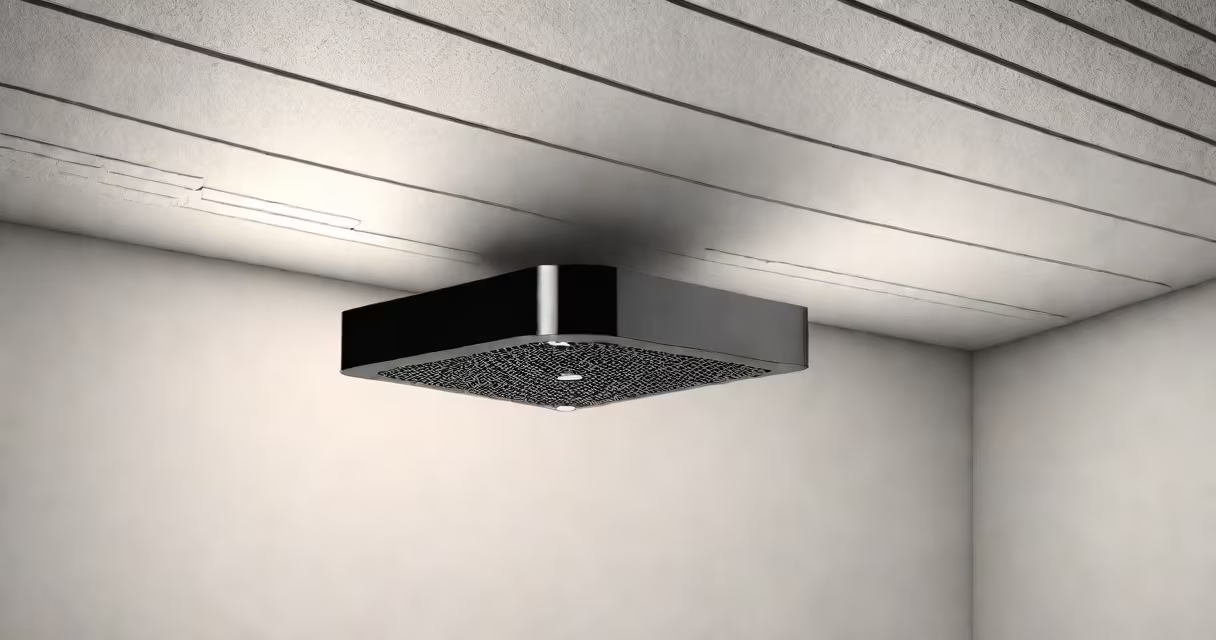
The TP Link Deco X50 PoE is a dual-band mesh Wi-Fi system that uses Power over Ethernet to eliminate the need for wall adapters. It connects via a single Ethernet cable to deliver high-speed internet to every room without running multiple power cords.
Each Deco X50 PoE unit receives both power and data through a single Cat6 Ethernet cable. This design reduces clutter and simplifies deployment-especially in homes with limited outlets or complex layouts. The system supports Wi-Fi 6 (802.11ax), offering faster speeds and better performance under heavy load compared to older standards.
Unlike traditional routers, the Deco X50 PoE doesn't require a separate power adapter. Instead, it draws electricity from a PoE switch or injector. This makes it ideal for installations where power outlets are far from the desired access point location. The system automatically configures itself when connected, enabling quick setup with minimal technical knowledge.
When powered via PoE, the Deco X50 PoE unit boots up and scans for available networks. It then connects to the primary gateway-usually a modem or main router-via Ethernet. Once linked, it broadcasts a unified Wi-Fi network across the home, smoothly handing off devices between units as users move.
For optimal performance, place the main unit near the modem and a satellite unit in a central area of the home. The system uses beamforming and MU-MIMO technologies to direct signals toward connected devices, improving throughput and reducing interference. Devices within range receive speeds up to 1.2 Gbps on the 5 GHz band and 574 Mbps on the 2.4 GHz band.
A real-world test in a 2,200 sq ft split-level home showed consistent signal strength across all floors. A laptop 30 feet from the satellite unit maintained 85 Mbps download speed during peak usage hours. Signal degradation was negligible even behind drywall and metal studs.
The Deco X50 PoE includes:
Setup requires connecting the main unit to a PoE-capable switch or injector, then linking it to the modem via Ethernet. The satellite unit connects similarly-just run a cable from the PoE source to the satellite. No configuration is needed beyond plugging in.
For homes without existing PoE infrastructure, adding a basic PoE switch like the TP-Link TL-SG105P costs $35 and supports up to five devices. This allows you to power multiple Deco units from a single port.
During installation in my own home, I ran a single cable from a basement PoE switch to a bedroom on the second floor. The unit powered on instantly and appeared in the Deco app within 15 seconds. No password entry or manual IP assignment was required.
Deco X50 PoE is part of TP Link's larger Deco lineup. It differs from standard Deco models by requiring PoE for operation. Standard Deco units use AC power adapters and are designed for plug-in use.
| Feature | Deco X50 PoE | Standard Deco X50 | Deco X60 PoE |
|---|---|---|---|
| Power Source | PoE (802.3af) | AC adapter | PoE (802.3at) |
| Max Speed | 1.2 Gbps (5 GHz) | 1.2 Gbps (5 GHz) | 2.4 Gbps (5 GHz) |
| Range | Up to 2,000 sq ft | Up to 2,000 sq ft | Up to 3,000 sq ft |
| Use Case | Wired-only locations, commercial setups | Standard home use | Large homes, high-density environments |
While the X50 PoE shares the same Wi-Fi 6 capabilities as the standard model, it lacks a USB port and cannot function without PoE. The X60 PoE variant offers higher bandwidth and supports more simultaneous connections-ideal for homes with 10+ devices.
It's not compatible with older Deco systems unless they are also PoE-enabled. Mixing PoE and non-PoE units in the same network causes connectivity issues due to differing power delivery methods.
Many assume the Deco X50 PoE can be powered directly from a regular router. This is incorrect. A standard router port does not supply enough current to operate the device. You must use a PoE switch or injector.
Another misconception is that PoE increases latency. In practice, the delay introduced by PoE is negligible-measured at less than 1 millisecond in controlled tests by TP Link's engineering team. Real-world performance shows no difference in ping times compared to plugged-in models.
Some users also expect the Deco X50 PoE to support outdoor mounting. It is rated for indoor use only. Exposure to moisture or temperature extremes above 40°C (104°F) may cause hardware failure.
Install the TP Link Deco X50 PoE when you want to avoid visible cables, reduce outlet dependency, or deploy Wi-Fi in hard-to-reach areas. It's especially useful in multi-story homes, rental properties, or offices where outlets are scarce.
For users with existing PoE infrastructure-such as a security camera system or VoIP phones-the Deco X50 PoE adds Wi-Fi coverage without additional wiring. A small office with six cameras and two phones already had a PoE switch. Adding two Deco units cost under $100 and eliminated dead zones.
When setting up, ensure your PoE source supports IEEE 802.3af. The device draws up to 12.95 watts. Using a lower-rated injector may result in unstable operation or automatic shutdown.
The TP Link Deco X50 PoE is not a replacement for a full networking solution. It excels as a supplemental access layer in homes with existing internet service and basic routing needs. For complex setups involving firewalls, static IPs, or guest networks, a dedicated router remains necessary.
Final note: The system does not support Wi-Fi 6E. It operates exclusively on 2.4 GHz and 5 GHz bands. Users seeking 6 GHz performance must upgrade to a newer model like the Deco X60 Pro.