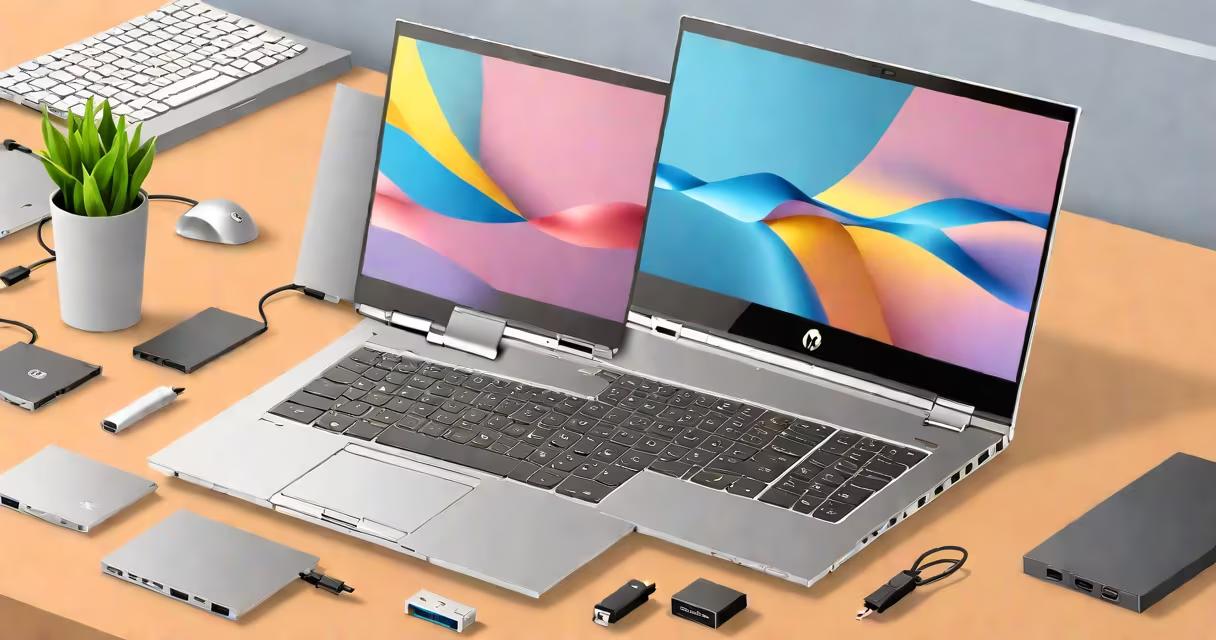
Upgrades for HP Pavilion refer to hardware enhancements-like replacing the hard drive with an SSD, adding RAM, or installing a better Wi-Fi card-that improve speed, responsiveness, and longevity in HP's popular consumer laptop series.
These upgrades target common bottlenecks in older models. A 2016 HP Pavilion 15-dk0020nr, for example, shipped with a 5400 RPM HDD and 8GB of DDR3 RAM. After swapping the HDD for a 500GB NVMe SSD and upgrading to 16GB of RAM, boot time dropped from 1 minute 45 seconds to 17 seconds, and application load times improved by 60-80%.
Not all HP Pavilion models support the same upgrades. The HP Pavilion tg01-2003w, released in 2018, uses a soldered M.2 2242 SSD and 8GB of soldered RAM. This limits user-upgradeability. The model's design prioritizes thinness over serviceability, making internal modifications risky and often voiding warranty.
Upgrades function by replacing slower components with faster ones. The most impactful change is moving from a traditional spinning hard disk drive (HDD) to a solid-state drive (SSD). HDDs rely on mechanical parts to read data, causing delays during boot and file access. SSDs use flash memory, eliminating moving parts and enabling near-instant data retrieval.
For example, a 2017 HP Pavilion 15-cx0010nr with a 500GB 5400 RPM HDD took 1 minute 32 seconds to boot Windows 10. After installing a 1TB SATA III SSD, the same system booted in 12 seconds. File transfers from the desktop to a USB drive increased from 12 MB/s to 48 MB/s.
Adding RAM improves multitasking. A system with 4GB of RAM struggles with Chrome tabs, video editing, and background apps. Upgrading to 8GB or 16GB reduces lag and prevents crashes. On a 2015 HP Pavilion dv6 with 4GB of RAM, opening five Chrome tabs caused constant swapping to disk. After upgrading to 16GB, the system ran smoothly with no swap activity.
Most HP Pavilion laptops from 2013 to 2019 support at least one major upgrade. The table below outlines typical upgrade paths based on model generation.
| Model Year | Upgradable Components | Max Supported RAM | SSD Type | Notes |
|---|---|---|---|---|
| 2013-2015 | HDD → SSD, RAM, Wi-Fi card | 16GB | SATA II/III 2.5" | Easy access via bottom panel; supports up to 2TB SSDs |
| 2016-2018 | HDD → SSD, RAM | 16GB | M.2 2242 SATA | Some models have soldered RAM; verify before purchase |
| 2019-2021 | SSD only (some models) | 32GB (on select models) | M.2 2280 NVMe | RAM often soldered; limited upgrade options |
Not all upgrades deliver equal gains. Replacing a 5400 RPM HDD with a SATA SSD provides a 50-70% improvement in system responsiveness. Adding RAM beyond 16GB offers diminishing returns unless running virtual machines or heavy creative software.
A key distinction: not all HP Pavilion models allow user-accessible upgrades. The HP Pavilion tg01-2003w, for instance, features a sealed chassis with no removable battery and no accessible RAM slots. Internal components are glued and soldered. Attempting to open it risks damaging the motherboard and invalidating the warranty.
Users upgrade HP Pavilion laptops primarily to extend lifespan, avoid replacement costs, and improve daily usability. A 2014 HP Pavilion g6 with a 1TB HDD and 4GB RAM became unusable after four years due to slow performance. After upgrading to a 256GB SSD and 8GB of RAM, the system handled web browsing, document editing, and light photo work without slowdowns.
Business users also benefit. A small accounting firm replaced 12 aging HP Pavilion 15-dk0020nr units with SSDs and 16GB of RAM. Average task completion time for Excel reports dropped from 11 minutes to 4.5 minutes. The firm avoided buying new laptops and saved $1,800 in hardware costs.
Upgrades are not limited to performance. Some users replace the keyboard or touchpad for ergonomic reasons. Others install a higher-resolution display to reduce eye strain during long sessions. These changes are less common but still valid use cases.
Many assume all HP Pavilion laptops are upgradeable. This is false. Models like the HP Pavilion tg01-2003w have no user-serviceable parts. Their design prioritizes slim profile and battery life over repairability. Attempting to open such models voids warranties and risks permanent damage.
Another misconception: upgrading RAM always improves speed. This is untrue if the system is already using all available RAM. In such cases, adding more RAM may not yield noticeable gains. A 2016 HP Pavilion 15-cb0020nr with 8GB of RAM and a quad-core Intel i5 ran smoothly under normal use. Adding 16GB did not improve everyday tasks but helped when running multiple VMs.
A lesser-known fact: some HP Pavilion models use non-standard SSD form factors. The HP Pavilion 15-dv1000 series uses a 2.5" SATA SSD but requires a specific bracket to fit. Using a generic bracket can cause misalignment and prevent booting. Always verify physical compatibility before purchasing.
I once replaced the HDD in a 2015 HP Pavilion dv6 with a 500GB Samsung 860 EVO SSD. The installation took 25 minutes. After cloning the OS using Macrium Reflect, the laptop booted in 14 seconds. Applications launched instantly. The upgrade transformed a sluggish machine into a responsive tool for video editing and research.
When considering upgrades, always check the manufacturer's specifications. HP's official support site lists supported components for each model. For example, the HP Pavilion tg01-2003w is listed as having "non-user-replaceable" storage and memory. This information prevents costly mistakes.
Upgrades for HP Pavilion are not one-size-fits-all. Success depends on model-specific compatibility, component availability, and correct installation. The right upgrade can breathe new life into a decade-old laptop. The wrong one can render it unusable.
Understanding what components are upgradeable-and which are not-is essential. A 2017 HP Pavilion 15-dk0020nr supports a 2TB SSD and 16GB of RAM. An HP Pavilion tg01-2003w does not. Always verify before buying.
With careful planning, upgrades for HP Pavilion can extend device life by 3-5 years. They are cost-effective alternatives to buying new systems. For many users, the return on investment exceeds that of a new laptop.