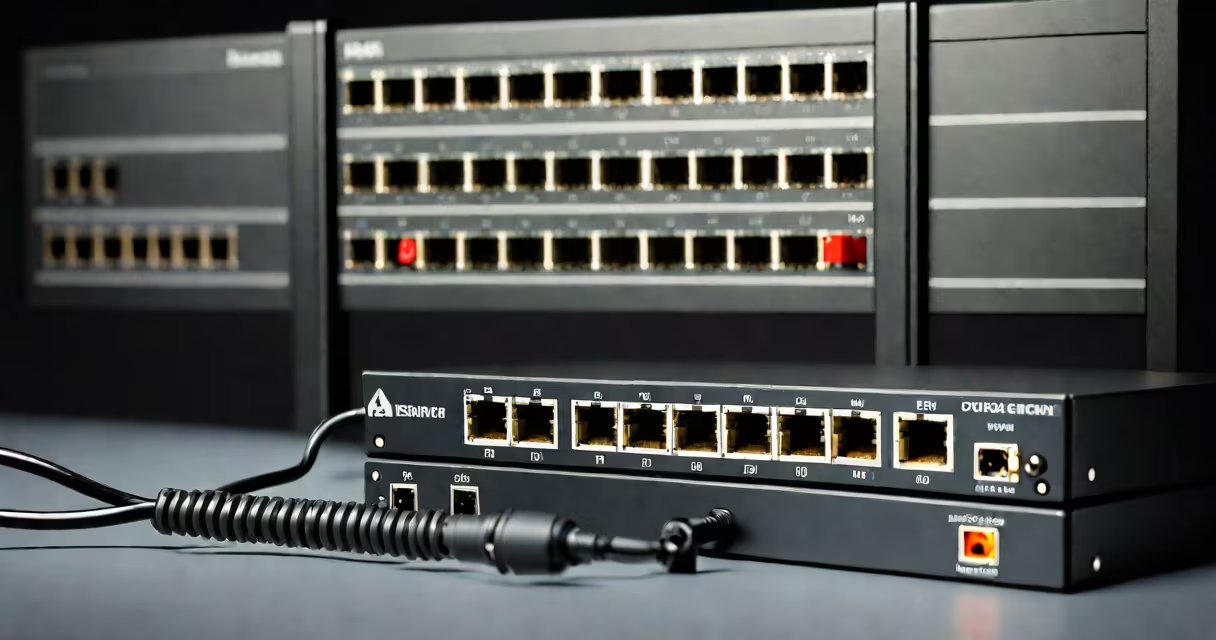
A PoE switch delivers electrical power and network data over a single Ethernet cable, eliminating the need for separate power outlets and wiring. It enables direct power delivery to devices like IP cameras, VoIP phones, and wireless access points through standard Cat5e or Cat6 cables.
PoE switches operate under IEEE 802.3 standards-specifically 802.3af (PoE), 802.3at (PoE+), and 802.3bt (PoE++). These standards define voltage levels, power budgets, and negotiation protocols between the switch and connected devices. A switch must support the correct standard to safely power a device without damage.
For example, a PoE switch supporting 802.3af can deliver up to 15.4 watts per port, while 802.3at increases that to 30 watts. The latest 802.3bt standard supports up to 90 watts per port, enabling high-power devices such as PTZ cameras and outdoor wireless access points.
When a device connects to a PoE switch, the switch performs a handshake process called Power Sourcing Equipment (PSE) detection. It checks whether the connected device is PoE-capable and negotiates the required power level. This prevents damage to non-PoE devices.
Power is injected onto the Ethernet cable using two methods: Mode A and Mode B. Mode A uses the data pairs (pins 1-2 and 3-6) to carry power, while Mode B uses the spare pairs (pins 4-5 and 7-8). Most modern switches default to Mode B for higher efficiency and reduced signal interference.
For instance, a 10-port PoE switch installed in a small office can simultaneously power six IP cameras, two VoIP phones, and two wireless access points-all via a single network cable run from the switch to each device. No wall outlets are needed near the cameras or access points.
Not all PoE switches are equal. The standard they follow determines how much power they can deliver and which devices they can support.
| Standard | Max Power Per Port | Typical Use Cases | Common Devices |
|---|---|---|---|
| IEEE 802.3af (PoE) | 15.4 W | Basic IP devices | VoIP phones, basic IP cameras |
| IEEE 802.3at (PoE+) | 30 W | High-performance devices | PTZ cameras, dual-band Wi-Fi access points |
| IEEE 802.3bt (PoE++) | 60-90 W | High-power applications | Outdoor access points, video doorbells, high-end surveillance systems |
Some switches support multiple standards simultaneously. A 24-port PoE switch with 802.3bt support can power a mix of low- and high-demand devices-assigning 15W to a phone and 60W to a PTZ camera on different ports.
Switches also differ in form factor: managed vs. unmanaged. Unmanaged switches are plug-and-play, ideal for small setups. Managed switches offer VLANs, QoS, and remote monitoring-critical for larger networks.
Organizations deploy PoE switches to reduce installation complexity and cost. Running separate power lines to each device adds labor and material expenses. With PoE, a single Ethernet cable handles both functions.
Security installations rely heavily on PoE. A 16-port PoE switch can power 16 outdoor IP cameras without needing nearby AC outlets. This is especially useful in parking lots, warehouses, or remote buildings where electrical infrastructure is limited.
Businesses use PoE switches to deploy VoIP phones and wireless access points quickly. A receptionist's desk can host a PoE-powered phone and a Wi-Fi extender, both drawing power from the same switch in the server room.
One real-world example: a retail store installed a 10-port PoE switch in its basement near the main router. They ran Ethernet cables to 10 locations-each housing a wireless access point and a security camera. All devices were powered and connected through the switch. Installation time dropped from three days to under eight hours compared to traditional wiring.
Many assume any Ethernet switch can deliver power. That's false. Only switches explicitly labeled as PoE or PoE+ support power injection. Using a regular switch with a PoE device may result in failure or damage.
Another misconception: PoE switches can't handle long cable runs. But Cat6 cables reliably transmit power and data up to 100 meters. Beyond that, signal degradation occurs-but not due to power loss. Voltage drop is minimal within standard lengths.
Also, PoE doesn't require special cabling. Standard Cat5e or Cat6 Ethernet cables work fine. However, older Cat5 cables may struggle with higher power demands. For PoE++, Cat6 or better is recommended.
I once tested a 48-port PoE switch in a warehouse. It powered 32 IP cameras and 16 access points. The switch maintained stable performance over 12 months, even during peak traffic. No device lost power or connection. This reliability underscores why PoE switches are preferred in mission-critical environments.
Start by identifying your devices' power requirements. Check the manufacturer's specifications. A PoE switch must meet or exceed the total power draw of all connected devices.
For example, if you plan to connect four PTZ cameras (each requiring 30W), two access points (25W each), and six phones (10W each), total power needed is:
4 × 30W = 120W
2 × 25W = 50W
6 × 10W = 60W
Total = 230W
You'll need a switch with at least 250W total budget. A 24-port PoE+ switch with 370W capacity fits this requirement.
If you're selecting the best option for scalability and control, look into managed PoE switches. They allow port-based policies, traffic prioritization, and remote troubleshooting-features essential for IT teams managing distributed sites.
Finally, verify compatibility. Not all PoE devices negotiate power correctly. Some older models don't support the PSE handshake. Always test devices with the switch before full deployment.
Understanding what a PoE switch is used for clarifies its role in modern networking. It's not just a hub-it's a power and data enabler that reduces infrastructure costs and accelerates deployment. Whether for security, VoIP, or Wi-Fi, a PoE switch streamlines connectivity and simplifies maintenance.
When choosing equipment, prioritize standards compliance, power budget, and environmental resilience. A well-planned PoE setup powers more than just devices-it powers operational efficiency.