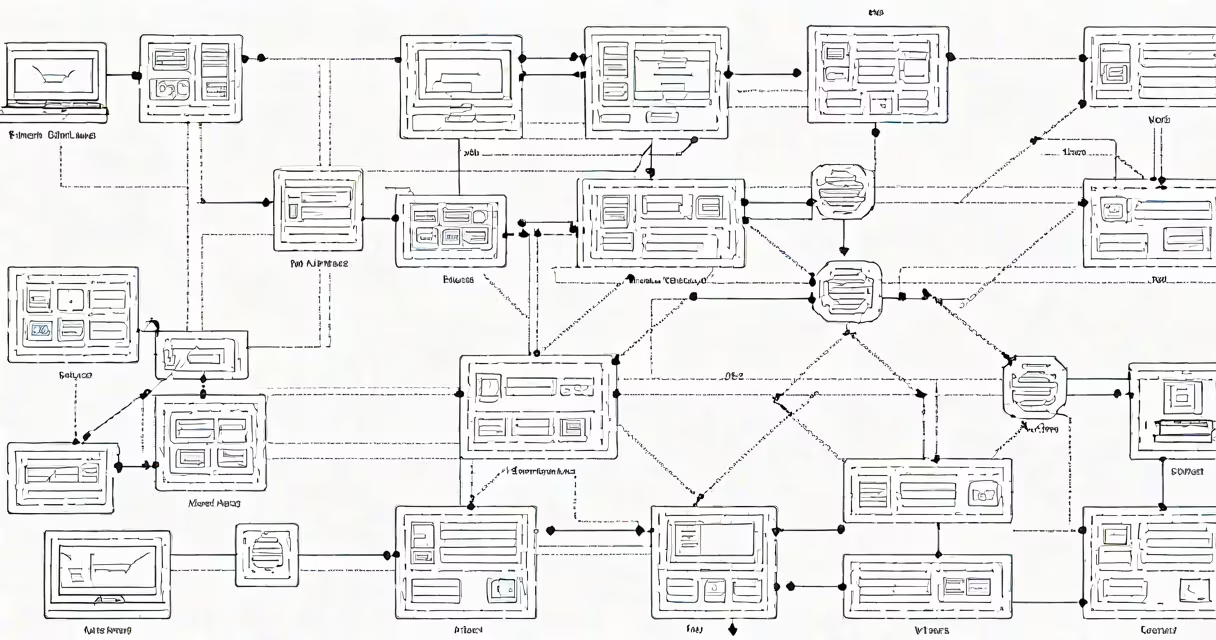
AWS VPC architecture is a logically isolated virtual network within Amazon Web Services that allows users to define custom IP address ranges, subnets, route tables, and network gateways. It forms the foundation for secure, scalable networking in AWS, enabling control over network topology and access policies.
At its core, AWS VPC architecture separates resources into distinct network segments based on function and security requirements. A single VPC can span multiple Availability Zones and support hundreds of subnets. Each subnet operates within a specific IP range and connects to a route table that determines traffic flow. Traffic between subnets and external networks is governed by security groups and network ACLs, which act as firewalls at different layers of the stack.
When creating a VPC, you specify a CIDR block-such as 10.0.0.0/16-for the entire network. This defines a pool of 65,536 IP addresses. Subnets then carve out portions of this space: for example, 10.0.1.0/24 for web servers and 10.0.2.0/24 for databases. Each subnet must reside in a single Availability Zone, but multiple subnets can exist across zones within the same VPC.
The primary building blocks of AWS VPC architecture include subnets, route tables, internet gateways, NAT gateways, security groups, and network ACLs. These components work together to enforce network isolation and manage traffic flow.
Subnets divide the VPC's IP space into smaller, manageable segments. Public subnets have routes pointing to an internet gateway, allowing instances to communicate directly with the internet. Private subnets lack direct internet access and require a NAT gateway or instance to reach outbound services. For example, a database server in a private subnet cannot be reached from the public internet unless explicitly permitted through a bastion host or VPN.
Route tables control how traffic is directed. Each subnet must be associated with one route table. A default route table includes a route to the internet gateway (0.0.0.0/0 → igw-12345678) for public subnets. Private subnets use a route to a NAT gateway (0.0.0.0/0 → nat-87654321) to allow outbound internet access while blocking inbound connections.
| Component | Function | Example Use Case |
|---|---|---|
| Public Subnet | Hosts resources accessible from the internet | Web servers running on EC2 instances |
| Private Subnet | Isolates sensitive workloads from direct internet exposure | Databases, internal APIs, backend services |
| Internet Gateway | Enables communication between VPC and the public internet | Allowing users to access a public website hosted on EC2 |
| NAT Gateway | Allows private instances to initiate outbound internet connections | Enabling software updates on EC2 instances in private subnets |
Security groups act as stateful firewalls for individual EC2 instances. They filter inbound and outbound traffic based on protocol, port, and source/destination IP. For example, a security group attached to a web server might allow HTTP (port 80) and HTTPS (port 443) traffic from anywhere (0.0.0.0/0), but deny SSH (port 22) access except from a specific corporate IP range.
Network ACLs are stateless and operate at the subnet level. They control traffic entering and leaving subnets using numbered rules. Unlike security groups, they don't track connection state. Rule 100 might allow ICMP echo requests from a monitoring system, while rule 200 denies all other incoming traffic. Network ACLs provide an additional layer of defense, especially useful in multi-tier architectures.
Many assume that a VPC is automatically secure simply because it's isolated. That's incorrect. Isolation doesn't equate to protection. Without proper configuration of security groups and network ACLs, even private subnets can be exposed to unauthorized access.
Another common error is placing all resources in a single public subnet. This violates the principle of least privilege and increases attack surface. Best practice dictates separating workloads: web servers in public subnets, application servers in private subnets, and databases in dedicated private subnets behind multiple layers of access control.
A lesser-known fact is that AWS VPCs do not support overlapping CIDR blocks across accounts unless explicitly configured via VPC peering or transit gateway. Attempting to create a VPC with a CIDR range already used in another account results in a validation error. This prevents accidental routing conflicts in multi-account environments.
Consider a company deploying a three-tier e-commerce application on AWS. The architecture uses a VPC with two Availability Zones: us-east-1a and us-east-1b.
The VPC is assigned the CIDR block 192.168.0.0/16. Two public subnets are created:
Two private subnets are set up:
An internet gateway is attached to the VPC and associated with the public subnets. A NAT gateway is deployed in each public subnet to enable outbound internet access for private instances. Route tables are configured accordingly:
Public Subnet Route Table:
0.0.0.0/0 → igw-12345678

Private Subnet Route Table:
0.0.0.0/0 → nat-87654321
Security groups are applied per tier:
This setup ensures minimal exposure. Even if a web server is compromised, attackers cannot directly access the database due to strict security group rules and network segmentation.
Use multiple VPCs when managing different environments-development, staging, production-to prevent cross-environment drift. Each environment should have its own VPC with unique CIDR ranges and strict access policies.
For hybrid cloud scenarios, connect on-premises networks to AWS VPCs using AWS Direct Connect or site-to-site VPNs. This enables smooth integration with existing infrastructure while maintaining network isolation.
Monitor VPC flow logs to detect unusual traffic patterns. Enable logging for all subnets and analyze data using Amazon CloudWatch or third-party tools. Flow logs capture source/destination IPs, ports, protocols, and packet counts, helping identify potential breaches or misconfigurations.
When scaling globally, consider using AWS Transit Gateway to centralize routing across multiple VPCs and on-premises networks. This reduces complexity compared to setting up multiple VPC peering connections, which are limited to 50 per VPC and require manual route management.
I built a similar architecture during a migration project for a healthcare provider. We used VPCs with private subnets for patient records and enforced encryption at rest and in transit. Security groups restricted access to only authorized service accounts. The result was compliance with HIPAA regulations and reduced risk of data exposure.
Understanding aws vpc architecture is essential for designing secure, resilient systems in AWS. It provides granular control over network layout, access policies, and traffic routing. Proper implementation prevents data leaks, limits lateral movement in case of compromise, and supports regulatory compliance.